Ohneis free resources: 32 PDFs, torn down (2026-10-13)
Source: https://www.ohneis652.com/resources (free for logged-in users; the operator's account through the saved
ohneis login browser). Each resource is a Google Drive PDF. index.json maps number, title, Drive ID and file;
files/ holds the PDFs, text/ the extracted text, pages/ low-res page images, and teardowns/NN.md one
teardown per resource (brief: BRIEF.md).
Verdict
Use now (6):
- 15 Beverage Pipeline: an anchor sentence ("the exact container from the reference image"), clauses that keep
the product static and the label legible, and a keep-clear layout clause for Codex product-hero plates.
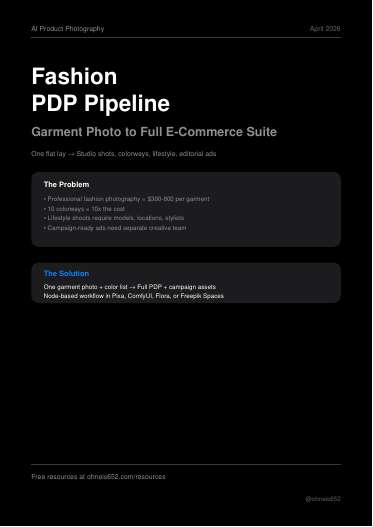
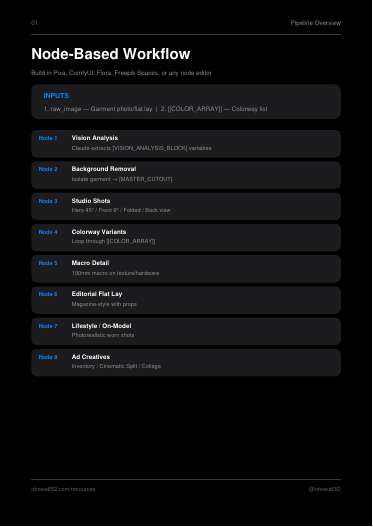
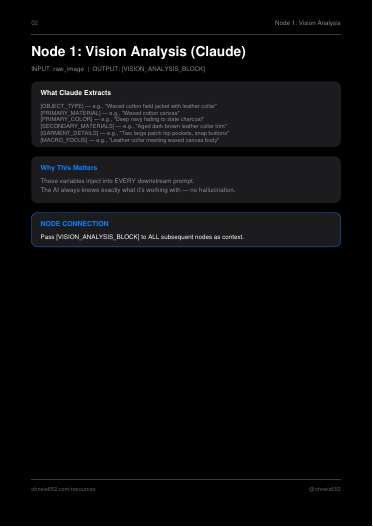
- 17 Fashion Pipeline: one vision read per product fills variables (type, colour, close-up detail), then each
prompt is lock / transform / prohibit.
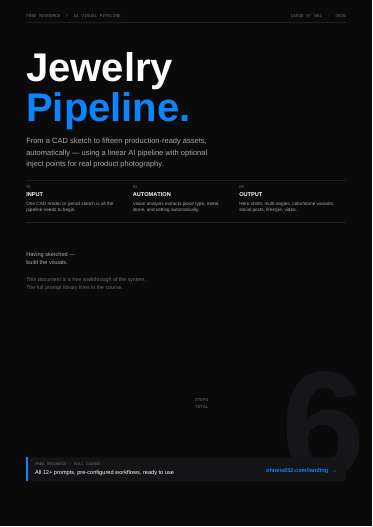
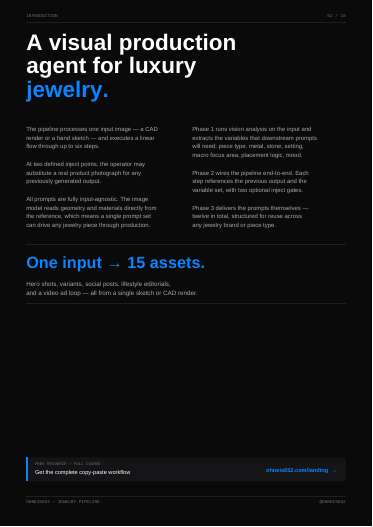
- 21 Jewelry Pipeline: an inject gate (the real product photo is the only reference), percentage
negative-space specs ("upper 30% open, no text rendered"), and a prohibition list.
- 04 Nano Banana product prompts: a labelled field-list prompt skeleton plus imperfection cues that make
people plates read as candid phone photos.
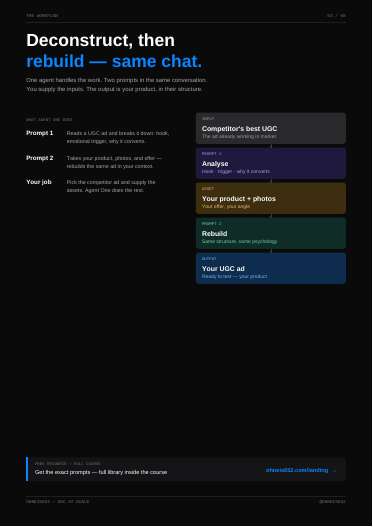
- 23 UGC Agent One: read the competitor's longest-running ad as hook / emotional trigger / why it converts /
visual style, then write a SCENE / DIALOGUE / DIRECTION video brief.
- 31 Style Prompts: borrow the prompt shape (one-line goal, five numbered steps with hard numbers, negative
list), not the styles.
Worth a test: 02 (percent placement, hex colour and quoted strings in prompts; a chroma-window video device),
10 (block motion with coloured shapes, then Kling Motion Control), 11 (colour-grade wording: "product is the only
saturated thing"), 16, 25 (depth-layered proof cards), 27 (lens vocabulary, video), 29 (one-variable prop
templates), 06, 13, 24 (only if a video route takes an end frame).
Skip: 01, 03, 05, 07, 08, 09, 12, 14, 18, 19, 20, 22, 26, 28, 30, 32.
Rule conflicts (don't copy these parts)
- Plate edits (golden rule): 12 (an enhancer), 19 (inpainting), 01, 27 and 32 (outpainting), 20, 28 and 31
(restyling an existing image), and the cutout composites in 08, 11 and 16.
- Collages: 16 and 28.
- Derived ratios: 01, 11 and 15 make one ratio from another. Our 4:5 is authored natively.
- Reference anchoring: 15 uses its own generated image as the reference for later shots. Ours anchor to the
real pack.
- Off-route tools: Nano Banana/Gemini, fal, Flux, Grok, Luma, Pixa, Veo and Envato. Their prompt language is
fine to borrow.
- Copy: 15 and 16's sample copy leads with the product, not the pain. 29 lets the model invent label text.
All 32
01 · Reframe Horizontal to Vertical
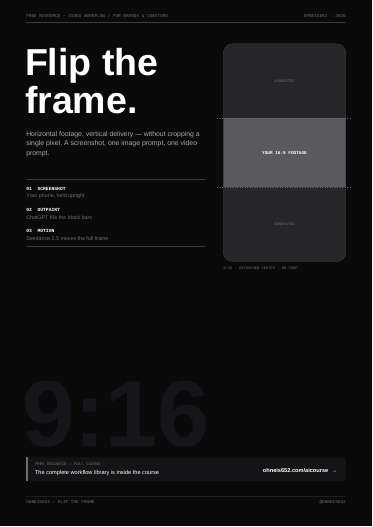
01 Reframe Horizontal to Vertical ("Flip the frame")
What it is
Video workflow, 7 pages. Tools named: phone screenshot, ChatGPT (image outpaint), Seedance 2.5 (video motion transfer), any phone for checking.
The actual method
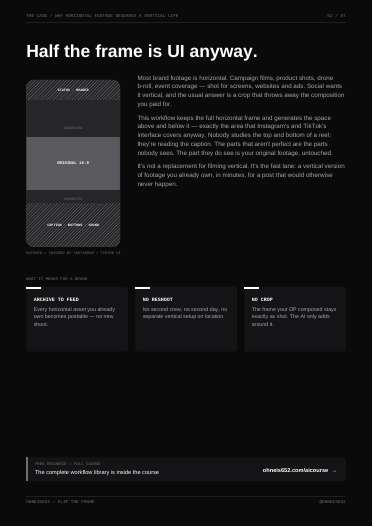
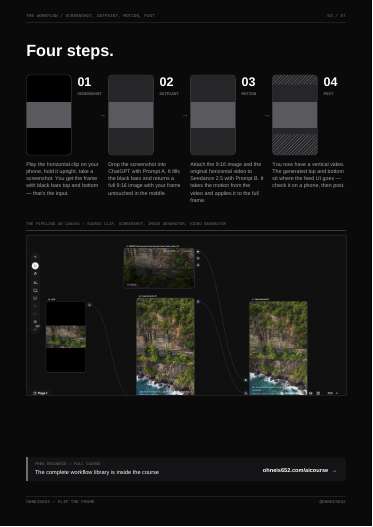
1. Play the 16:9 clip on a phone held upright and screenshot it, so you get the frame with black bars top and bottom.
2. Prompt A in ChatGPT: outpaint only the black bars into a full 9:16 image, centre untouched.
3. Prompt B in Seedance 2.5: attach the 9:16 image plus the original horizontal video; the video gives motion and timing, the image gives what exists above and below.
4. Check on a phone with the app UI on, then post.
Notes from the file: for heavy camera motion, screenshot start, middle and end, outpaint each, and attach all as references. If a result reframes, zooms or redraws the centre, run it again. The generated bands sit under Instagram/TikTok UI, so they "don't have to be flawless". For a hero vertical piece, still shoot vertical.
Prompt A (excerpt, verbatim):
> "Keep the original video frame in the middle completely unchanged: same pixels, same position, same size. Generate new content only in the black areas, continuing the scene logically above and below — sky, ground, environment, depth. Match lighting, perspective, color grading, grain and sharpness exactly. No visible seam, no stretching, mirroring or blurring of existing pixels."
Prompt B (excerpt, verbatim):
> "Use the attached 9:16 image as the base frame and as the visual reference for the full vertical frame. Use the attached horizontal video as the motion reference. Reproduce the video exactly inside the full 9:16 frame: same subject motion, same camera movement, same timing, same duration and frame rate. ... Do not crop, zoom or reframe. ... no music, no talking, no cuts, no edits"
Steal for AdMaker
- Video only: a route to get a 9:16 Reels/Stories cut from a horizontal source clip (for example a 16:9 Kling or Seedance shot, or a licensed horizontal b-roll) without cropping the composition. Seedance is already in our video route.
- The "middle stays, rerun if it redraws" acceptance rule and "judge on a phone with UI on" match our phone-check gate.
- Rule flags: Step 2 is outpainting an existing frame. Applied to a still ad plate it is exactly the spa treatment our golden rule bans, so never use it for statics. ChatGPT as named would have to be Codex image_gen for us. It also conflicts with our rule that 4:5 and 9:16 masters are authored natively, never derived from one another. Only defensible for video source footage, and RAW video work still has to pass raw-video-gate.mjs.
Verdict
Skip for statics (outpaint plus derived ratio breaks two rules); Worth a test only as a video rescue for horizontal footage we already own.
Open the PDF
02 · Postcard Prompt
02 Postcard Prompt
What it is
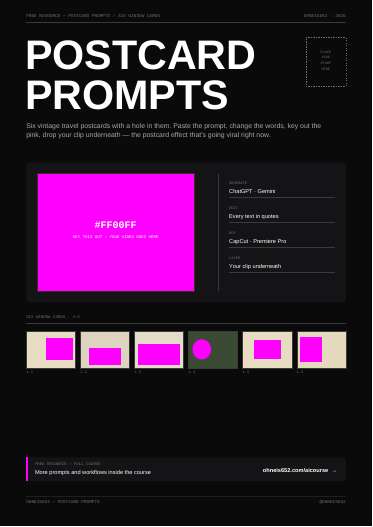
Prompt pack, 10 pages, six "window card" prompts. Tools named: ChatGPT or Gemini to generate; CapCut or Premiere Pro to color key and layer.
The actual method
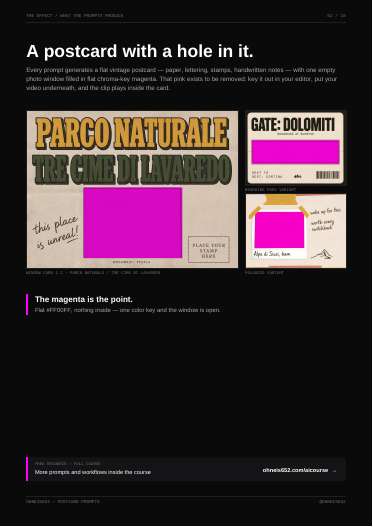
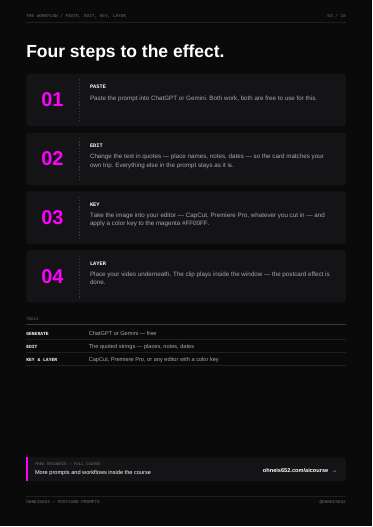
Each prompt makes a flat 2D vintage postcard (4:3) with one empty photo window filled with flat chroma-key magenta #FF00FF. Workflow: paste prompt, change every text in quotes, color key the magenta in the editor, put your video underneath so it plays inside the card.
Prompt structure, consistent across all six:
- Medium and negatives first ("Flat 2D vintage travel postcard, no photograph, no people").
- Canvas with hex base color, grain, "fully covered edge to edge and NOT keyed out".
- Window: shape, position, size as percent of frame (for example "roughly 55% of the frame width and 60% of the height"), hairline border hex, "filled completely flat chroma-key magenta #FF00FF with nothing inside".
- Each text element: position, font named by "similar to" (Bungee Shade, Caveat, Playfair Display, Permanent Marker, Alfa Slab One), hex color, exact quoted string.
- Closing guard: "Magenta appears only inside the photo window."
Verbatim excerpt (Card 1.1):
> "Inset into the paper, occupying the center-right roughly 55% of the frame width and 60% of the height, is a rectangular photo window whose interior is filled completely flat chroma-key magenta #FF00FF with nothing inside it, framed by a thin dark hairline #3A2E1E, meant to be keyed out and replaced with video."
Each page also shows a "window spec" table (paper hex, window shape, position, size, border, fill) derived from the prompt.
Steal for AdMaker
- The prompt grammar is the reusable part: percent-of-frame placement, hex per element, "font similar to X", every string in quotes, and one closing exclusivity guard. That maps onto our one-pass whole-ad prompts (route B, now the only static route) for controlling where type and keep-clear zones go.
- The magenta-window trick fits a Remotion layer: generate a designed frame (card, receipt, note, phone screen) with a #FF00FF hole, key it in Remotion, and run a product or UGC clip inside. Possible uses: a Dog Academy "postcard from the dog park" before/after clip, a RAW "boarding pass / matchbook" frame around a pass shot. This is a new generation plus a video composite, not a retouch of a plate; keep it to video, since statics are one-pass only.
- Rule flags: ChatGPT/Gemini named; for us generation goes through Codex image_gen. The cards carry no product, so no product-reference issue. Vintage travel aesthetic is off-brand for our current pain-first ads; it would need a pain-first reason to exist.
Verdict
Worth a test: the chroma window is a cheap Remotion device for video ads, and the prompt grammar is worth copying into our type-placement prompts.
Open the PDF
03 · Micrographics Branding Design Prompts
03 Micrographics Branding Design Prompts
What it is
Prompt pack, 7 pages, five brand-graphic prompts (techwear, vintage record liner note, aerospace micrographic, eco brand identity, expedition metadata block). Tool named: Nano Banana Pro, with an optional reference image.
The actual method
"Copy prompt → Replace brand details → Add reference image → Generate with Nano Banana Pro." Each prompt is a single descriptive paragraph: substrate or background, focal mark, every text string in quotes with its typeface style, small "technical" furniture (registration/crop marks, lot numbers, coordinates, scale arrows), palette, and a closing line naming the design lineage and the mood it should give.
Verbatim (03, aerospace):
> "This micrographic features a stark, technical layout on a bead-blasted, silver metallic surface ... The text is printed in a striking "emergency red" monospaced font. It includes the material code "ALU-CAS. 7429-90-5", a production date "PROD 20/04/2020", and an expiration "EXP 19/04/2119". Reference and lot numbers like "REF AL6061-T6" and "LOT 7533U-141-777" are boxed for emphasis."
Verbatim (01, techwear):
> "The entire central graphic is framed by thin 'plus' (+) registration marks or crop marks at the corners, creating an "unfinished" or "technical drawing" aesthetic."
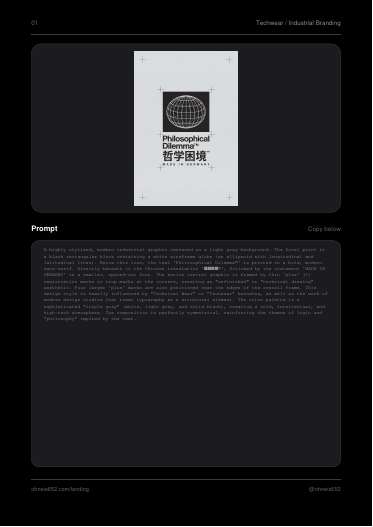
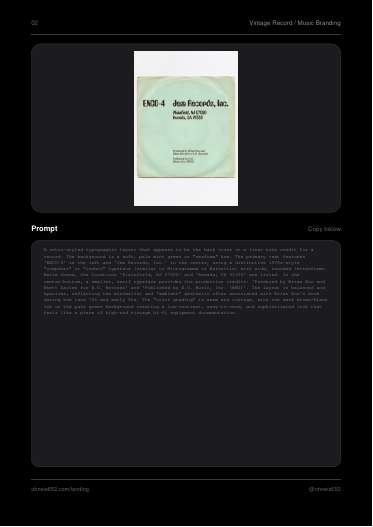
The page images show the outputs: a centred black logo block on pale grey with crop marks, and red monospaced spec text printed on brushed aluminium.
Steal for AdMaker
- The "micrographic" vocabulary (lot codes, batch numbers, spec blocks, registration marks, coordinates) is a ready visual language for proof furniture. Clean Health Lab could carry a lab-label style spec block ("methylfolate", dose, "no fillers, no stearates") as a designed proof element. RAW could use a lot/batch spec look in a logo or packaging exploration (the RAW logo-direction workstream).
- Best fit is packaging and logo work under $craft-packaging-image-prompts, not cold-acquisition ads; these graphics carry no pain, so in an ad they can only be supporting material.
- Rule flags: Nano Banana Pro is not our still route (Codex image_gen is, unless the operator asks). Prompt 05 uses The North Face's real wordmark; never generate other brands' marks into our work. Fake technical numbers must not be presented as real product facts ("prices and facts exactly as sold").
Verdict
Skip for ads; Worth a test only as a style vocabulary for CHL proof blocks or RAW logo/packaging exploration.
Open the PDF
04 · AI Prompts for Nano Banana Pro
04 AI Prompts for Nano Banana Pro (AI Product Photography Prompt Templates)
What it is
Prompt pack, 7 pages, five product-in-scene photo prompts (tote bag, jewelry, cosmetics, denim, sunglasses). Tool named: Nano Banana Pro with a reference image.
The actual method
"Copy prompt → Replace product description → Add reference image → Generate with Nano Banana Pro." Each prompt is a labelled field list rather than prose: shot type, then fields like Vehicle / Action / Outfit / Accessory focal point / Background / Lighting / Mood, or Face / Skincare / Skin / Hair / Hand / Drink / Lighting / Aesthetic. The product sits in one "focal point" slot; everything else is aggressive imperfection and candour cues ("caught off guard", "unretouched complexion", "phone camera distortion", "natural skin imperfections", "slight motion blur on hands").
Verbatim (03, cosmetics):
> "Selfie close-up, lying in bed, intimate morning mood. ... Skin: ultra-realistic pores, slight redness, pillow marks on cheek, unretouched complexion, natural eyebrows. ... Aesthetic: "that girl" morning routine, casual luxury, lazy sunday, authentic selfie angle, phone camera distortion, sharp focus on eyes and cup, blurred background bedding."
Verbatim (05, sunglasses):
> "High-angle "0.5x" wide-lens selfie, harsh daylight, street style aesthetic. Perspective: looking down at subject, distorted proportions, big head/small body effect. ... Shadows: hard, sharp silhouette shadow of subject and arm holding phone cast on ground"
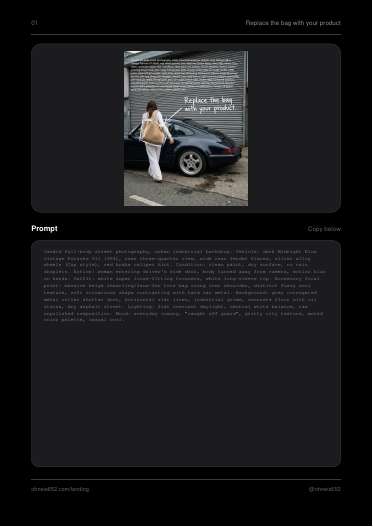
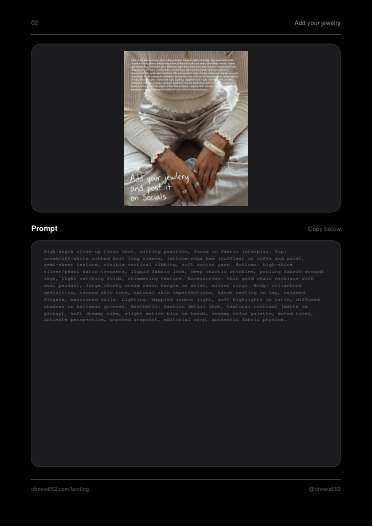
Page images confirm the look: an overcast street shot with a woman getting into a Porsche (bag annotated "Replace the bag with your product") and a bed selfie with under-eye masks and an iced matcha.
Steal for AdMaker
- The field-list skeleton (Shot / Subject / Product focal point / Skin / Hands / Background / Lighting / Aesthetic) is a good template for our candid people plates, which we already know must read as candid phone photos, not staged AI ("staged AI photos read fake"). The imperfection cue list (pillow marks, pores, phone distortion, 0.5x selfie, hard noon shadow) is directly usable.
- Uses: Wonder Hair Serum bathroom or bed-morning selfie with the bottle in hand; RAW "0.5x" street selfie or night-out candid with the bottle; CHL kitchen-counter morning candid. Product goes in one named focal slot and the Codex image_gen call attaches the product references.
- Rule flags: Nano Banana Pro is not our default still route; swap to Codex image_gen with referenced_image_paths. These are product-placement mood shots with no pain; for cold ads they need a pain moment in the scene or the copy. Prompts lean on real brands (rhode, Levi's, Porsche, Bottega style); strip third-party brands.
Verdict
Use now: the field-list prompt skeleton and imperfection cues drop straight into our candid people plates via Codex image_gen with product references.
Open the PDF
05 · AI Blueprint for Businesses
05 AI Blueprint for Businesses
What it is
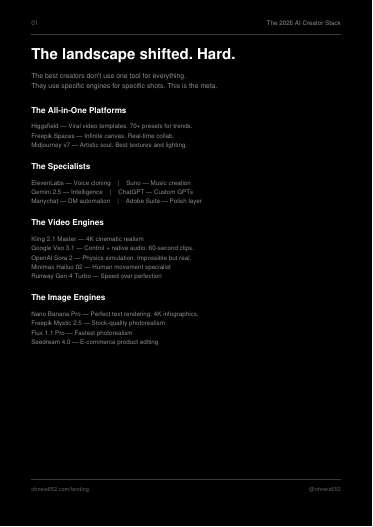
Tool-stack overview and sales sheet, 6 pages. No prompts. Tools named: Higgsfield, Freepik Spaces, Midjourney v7, ElevenLabs, Suno, Gemini 2.5, ChatGPT, Manychat, Adobe Suite, Kling 2.1 Master, Veo 3.1, Sora 2, Minimax Hailuo 02, Runway Gen-4 Turbo, Nano Banana Pro, Freepik Mystic 2.5, Flux 1.1 Pro, Seedream 4.0, Claude, Topaz Video AI 7, UniFab, Real-ESRGAN.
The actual method
- Page 1: a "2026 creator stack" list, one line per tool ("Nano Banana Pro — Perfect text rendering. 4K infographics.", "Minimax Hailuo 02 — Human movement specialist").
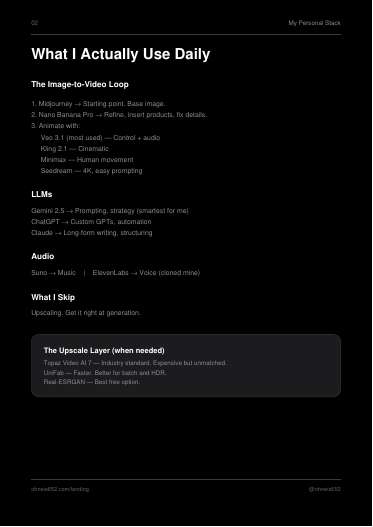
- Page 2, the author's daily loop, verbatim:
> "1. Midjourney → Starting point. Base image. 2. Nano Banana Pro → Refine, insert products, fix details. 3. Animate with: Veo 3.1 (most used) — Control + audio, Kling 2.1 — Cinematic, Minimax — Human movement, Seedream — 4K, easy prompting"
plus "What I Skip: Upscaling. Get it right at generation."
- Page 3: speed, cost, consistency and testing "problems" with claimed results (for example "Campaign Performance: 20-30% improvement in ROI"), no source given.
- Page 4: a week 1-2 / week 3-4 / month 2+ roadmap ("Analyze brand assets → Create Master Prompts → Set up quality workflows → Generate initial library").
Steal for AdMaker
- One line agrees with us: "Upscaling. Get it right at generation." That matches our golden rule (fix the prompt and regenerate, never touch up a plate).
- Otherwise nothing new. The loop's step 2 ("Refine, insert products, fix details" on a Midjourney base) is a derived edit of an existing plate, which our golden rule bans. Midjourney, Nano Banana Pro, Veo, Sora and ChatGPT image routes are outside our locked routes. The ROI numbers are unsourced and should not be quoted.
Verdict
Skip: a tool list and course pitch with no method we lack, and its core loop breaks the no-spa-treatment rule.
Open the PDF
06 · Marker Style Prompt
06 Marker Style Prompt
What it is
Art-style prompt pack, 6 pages, two prompts: "Heavy Chisel Marker" (fat, punk-zine) and "Jittery Fine-Tip Marker" (wobbly naive doodle). No tool named beyond "generate"; used to turn a subject or image into marker art.
The actual method
Each prompt is a structured directive: CORE DIRECTIVE, TASK, numbered STEPs (tool physics, fill rules, one optional spot color from a fixed hex list, paper texture), then a NEGATIVE PROMPT. The craft is describing the physical tool (tip width, ink behaviour) instead of the look.
Verbatim (chisel):
> "Tool Physics: Simulate a marker with a 20mm wide tip. No Fine Lines: Do NOT draw thin outlines. ... Show the "dry drag" texture where the marker moved too fast and didn't cover the paper 100%."
> "Accent: Use ONE of the strictly defined colors (#1A65FF, #FFCD2E, #FE342C) for a single element ... possibly slightly misaligned with the black contours (offset printing error look)."
Verbatim (fine-tip):
> "Monoline: The line thickness must be 100% consistent. ... High Jitter (Wobble): There should be NO straight lines. ... It should look like a "blind contour drawing"."
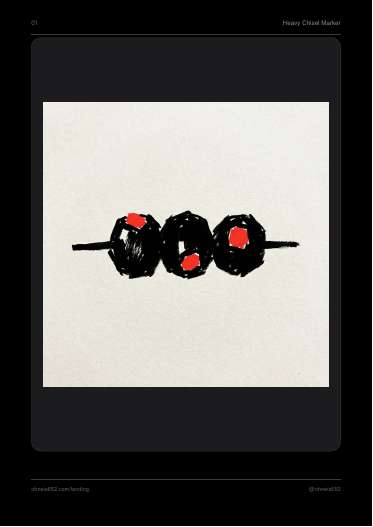
Page images: three black blobs on a skewer with red flat spots (chisel); a shaky single-line dog drawing with a starburst (fine-tip).
Steal for AdMaker
- Technique worth keeping: describe tool physics and failure texture ("dry drag", "capillary action", "offset printing error") plus a hard negative list. This gives a hand-made, non-AI feel, which we want.
- Possible uses: a fine-tip doodle explainer frame in a Dog Academy video (the sample output is literally a dog); marker arrows or circles written into a one-pass static prompt as part of the whole ad. Never draw on the product or let a doodle cross the product keep-clear zone.
- Rule flags: "turning an existing plate into marker art" is a derived edit of a plate and banned; it must be a fresh generation. Statics are one-pass only since the operator dropped route A (hand-set layers) on 2026-09-28, so doodles cannot be composited onto a static plate after the fact.
Verdict
Worth a test for Dog Academy video doodle frames and as one-pass prompt language; no use as a composited static layer.
Open the PDF
07 · Matchcard Prompts
07 Matchcard Prompts (Vintage Matchbox Labels)
What it is
Art-style prompt pack, 6 pages, two short prompts (a "Chinese" and a "Japanese" vintage matchbox label). No tool named.
The actual method
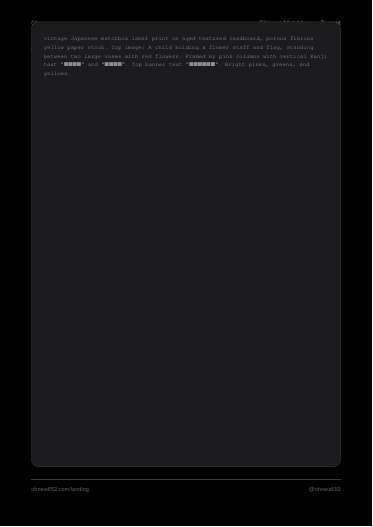
A one-paragraph prompt: print medium and substrate first ("vintage Japanese matchbox label print on aged textured cardboard, porous fibrous paper stock"), then "Top image:" with the illustration subject, then every text string in quotes with its position, then a print-defect cue.
Verbatim (Japanese):
> "Text "SAFETY MATCH" at top, "WAKATAKE. KOBE." in a blue banner at bottom. Side vertical text "MADE IN JAPAN" and "DAMPPROOF". "TRADE MARK" flanks the center sails. The print registration is slightly off, typical of cheap vintage printing."
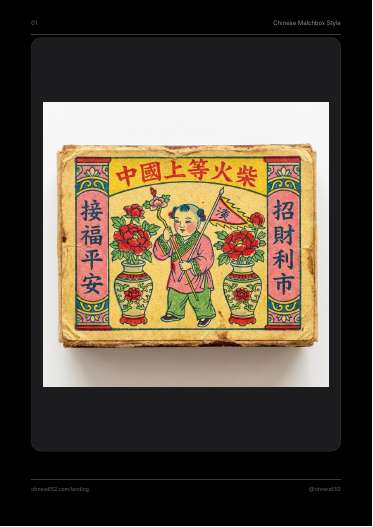
Note: the file's "Chinese Matchbox" prompt also opens with "vintage Japanese matchbox label print", and its Chinese text renders as placeholder squares in the extracted text. The page images show convincing outputs: a pink/green/yellow label with a child between two vases, and a navy and red label with three ships.
Steal for AdMaker
- Small reusable idea: name the print process and its defect ("registration is slightly off") to get authentic printed-object texture. Useful for packaging or label concepts under $craft-packaging-image-prompts (for example a RAW matchbook-style insert, which fits the night-out world).
- No pain, no product, no ad structure; not an ad method.
- Rule flags: none beyond routing (generate via Codex image_gen). Avoid cultural pastiche in ads.
Verdict
Skip: a style novelty with no ad use beyond an occasional packaging moodboard.
Open the PDF
08 · Pixa Setup Guide
08 Pixa Setup Guide
What it is
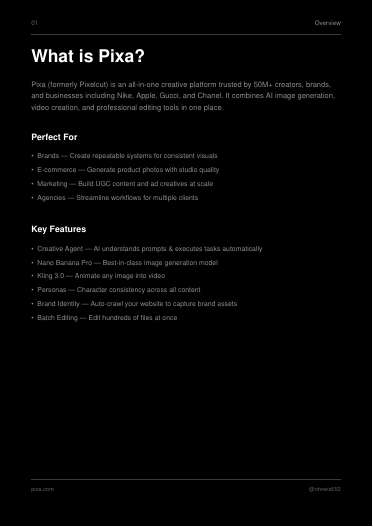
Setup guide for one platform (Pixa, formerly Pixelcut), 12 pages, February 2026. Tools named: Pixa (Creative Agent, Brand Identity, Personas, batch editing), Nano Banana Pro, Kling 3.0, plus editing tools (background removal, upscale, expand, retouching/generative fill, shadows, camera angle).
The actual method
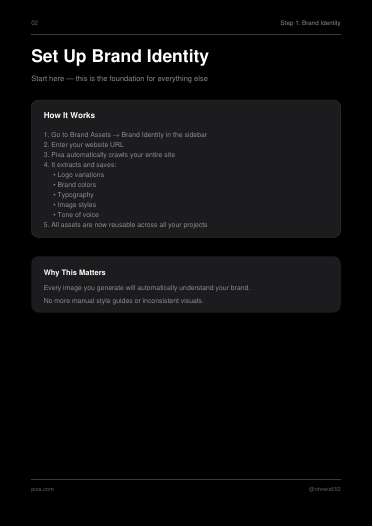
1. Brand Identity: enter the website URL; Pixa crawls it and saves logo variations, brand colors, typography, image styles and tone of voice for reuse.
2. Personas: save reference images, style preferences, age range, ethnicity and aesthetic; attach the persona to any generation for a consistent character.
3. Generate: "Create", choose Nano Banana Pro, write a prompt, attach persona and a phone photo of the product as reference ("for 99% accurate product visuals").
4. Animate: select an image, choose Kling 3.0, add motion prompts.
5. Edit: background removal, upscale to 16x, expand, retouching, shadows, batch edits, camera angle change after generation.
Two free persona prompts. Verbatim (male):
> "Man with voluminous curly hair in golden-brown copper tone. Dense, defined curls forming afro-like texture with medium length. Light eyes, likely blue or green. Fair skin type with visible skin texture. Reddish-brown mustache, well-groomed and thick. ... Direct camera orientation with slightly tilted head position. Natural smile showing white teeth. Relaxed, authentic presence."
The page image for the male persona shows a studio-style portrait matching that description (copper curls, neck tattoos, magenta sweatshirt).
Steal for AdMaker
- The persona idea we already do better with identity sheets and run_ident.sh checks ("lock character identity"). The persona prompt shape (hair, eyes, skin texture, one distinctive mark like tattoos or a piercing, wardrobe, head position, expression) is a decent checklist for writing a locked cast description for RAW or Wonder UGC characters.
- "Crawl the site to auto-extract brand colors, type and tone" is an idea we could do ourselves for a new AdMaker brand intake, but nothing here is a method we lack.
- Rule flags: Pixa and Nano Banana Pro are outside our still route. Its edit suite (retouching, generative fill, expand, upscale, camera angle change after generation) is exactly the spa treatment banned by our golden rule. A phone snapshot as the only product reference falls short of our product-reference-pack standard.
Verdict
Skip: a vendor setup guide whose editing half breaks the golden rule; only the persona description checklist is mildly useful.
Open the PDF
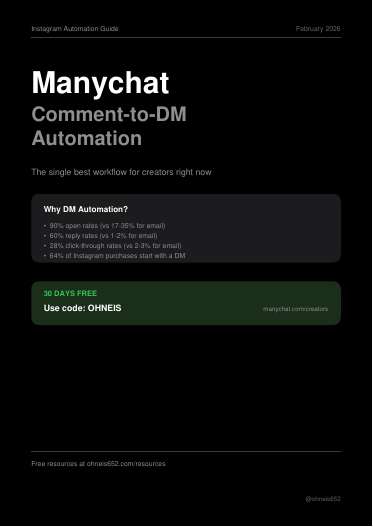
09 · Manychat Blueprint
09 Manychat Blueprint (Comment-to-DM Automation)
What it is
Instagram automation setup guide, 9 pages, February 2026, with an affiliate code. Tools named: Manychat, Instagram (Business or Creator account).
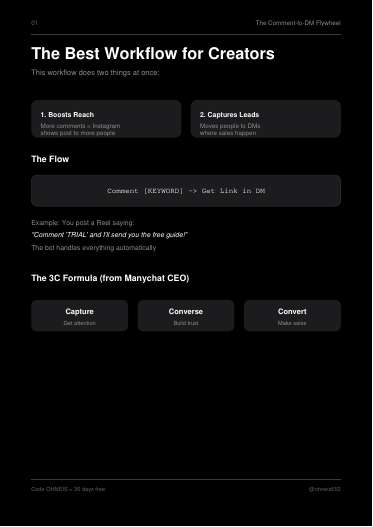
The actual method
- Flow: "Comment [KEYWORD] -> Get Link in DM". A Reel says "Comment 'TRIAL' and I'll send you the free guide!".
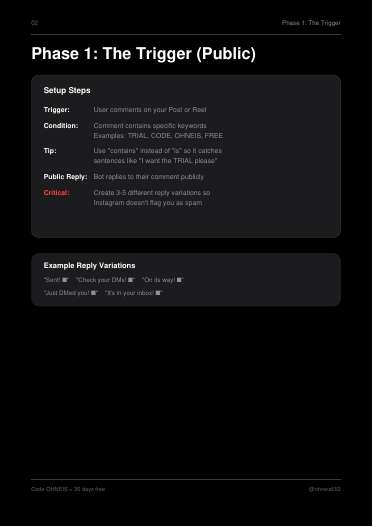
- Phase 1, trigger: keyword match with "contains" not "is"; public auto-reply with 3 to 5 rotating variations so Instagram does not flag it as spam ("Sent!", "Check your DMs!").
- Phase 2, DM: short message plus a button (buttons out-click text links), personalised, delivers exactly what was promised.
- Phase 3, follow-up: 20-minute smart delay, then if the button was not clicked send "Hey! Just wanted to make sure the link worked?"; if clicked, tag "Converted".
- Follower gate: before sending, check "Is user following me?"; if not, ask them to follow and retry.
- Safety: random 1 to 60 second reply delay above 100 comments per hour; unique keywords, not "Link" or "Info".
- Opening stats ("90% open rates", "64% of Instagram purchases start with a DM") are unsourced.
Verbatim template:
> "I'd love to send this, but my settings only allow me to DM followers! Hit 'Follow' and tap the button below to retry."
Steal for AdMaker
- Not a creative method. It could apply to organic Instagram posts for a brand (for example a Dog Academy "comment PLAN and I'll send your custom training plan" Reel, which fits the DA offer line). That belongs to whoever owns organic social, not the ad pipeline.
- Rule flags: our paid Meta ads link straight to the product page ("whole pitch in every ad ... links straight to the product page"), so a comment-to-DM detour is not for paid ads. The follower gate is a dark pattern; do not use. Manychat is not a tool we run.
Verdict
Skip for AdMaker ads; at most a separate organic-social idea for Dog Academy.
Open the PDF
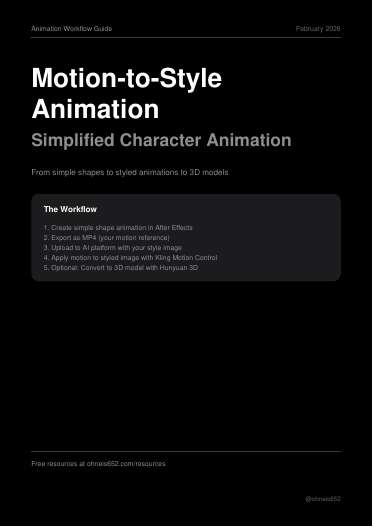
10 · Motion Style Workflow
10 Motion Style Workflow (Motion-to-Style Animation)
What it is
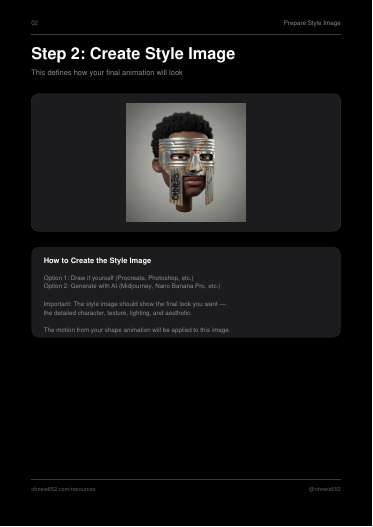
Animation workflow, 8 pages, February 2026. Tools named: Adobe Illustrator, After Effects, Procreate/Photoshop or Midjourney/Nano Banana Pro for the style image, Kling Motion Control (Kling O1, Kling 2.6 Pro Motion Control, Kling 3.0) via Higgsfield, Freepik, Artlist, Kling direct or Pixa, and Hunyuan 3D.
The actual method
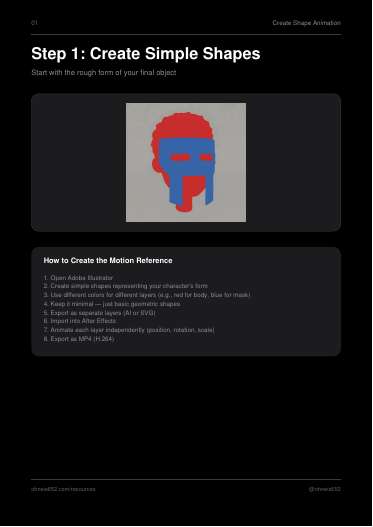
1. In Illustrator, build the character's rough form from simple flat shapes, one color per layer (for example red for body, blue for mask); export layers.
2. In After Effects animate each layer (position, rotation, scale); export MP4 (H.264). This is the motion reference.
3. Make a style image showing the finished look (drawn or generated).
4. Upload both to a Kling Motion Control platform with the prompt, verbatim: "Apply the motion from video to the image". Choose Kling O1 or Kling 2.6 Motion Control.
5. Optional: generate front, left, right and back views of the style image, then build a GLB in Hunyuan 3D for Blender, Unity or Unreal.
The page image for step 1 shows the motion reference: a red head shape with a blue mask block on grey.
Steal for AdMaker
- Core idea: author motion with crude coloured shapes you fully control, then let Kling Motion Control carry that motion onto a finished image. That is a way to get exact, repeatable motion (a bottle rising into frame, a mascot nodding, a dog-shaped mascot turning its head) without fighting text prompts, and fits our "Kling: short motion-only prompts" learning. We could build the shape animation in Remotion instead of After Effects and export MP4.
- Uses: Dog Academy claymation or illustrated mascot spots; a RAW bottle "hero reveal" whose path is blocked out as a rectangle animation. Product shots must still match references frame by frame, and RAW video must pass raw-video-gate.mjs before any paid generation.
- Rule flags: style image via Midjourney or Nano Banana Pro is outside our still route; use Codex image_gen. Hunyuan 3D is a tool we do not use (our 3D escalation sits in $create-product-reference-packs). Higgsfield is an approved video connector; Freepik/Artlist/Pixa are not.
Verdict
Worth a test: shape-blocked motion plus Kling Motion Control is a cheap way to get controlled motion for mascot or product-reveal clips, buildable in Remotion.
Open the PDF
11 · Luma Agents Guide
11 Luma Agents Guide
What it is
Platform guide, 9 pages, February 2026. Tools named: Luma Labs Agent and canvas, Ray3 / Ray3.14 / Ray3 Modify (video), Photon and Nano Banana Pro (images), Kling 3.0 (animation).
The actual method
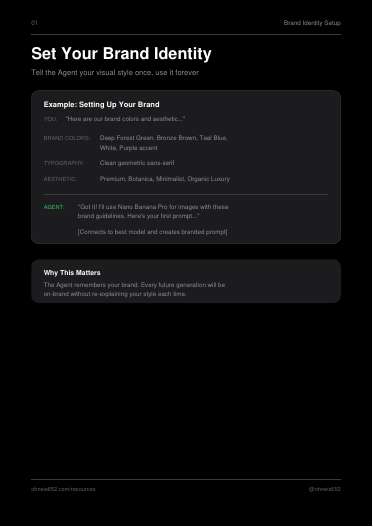
- Brand identity: tell the agent colors, typography and aesthetic once; it reuses them.
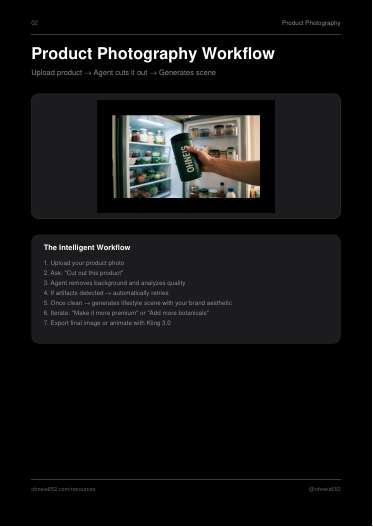
- Product photography loop: upload product photo, "Cut out this product", the agent removes the background and checks quality, retries if artifacts appear, then generates a lifestyle scene; iterate ("Make it more premium"), export or animate with Kling 3.0.
- Follow-up and power prompts, for example "Analyze this reference image and recreate the lighting and composition with my product." and "Create a 4-shot storyboard for a 15-second Instagram ad featuring this product."
- One full example prompt for a supplement canister. Verbatim excerpt:
> "Lifestyle commercial product shot, hand light-medium skin tone male reaching into open refrigerator gripping dark forest green matte insulated canister ... shallow depth of field f/2.0 fridge interior background softly defocused, analog film aesthetic slightly warm ambient exterior light, Kodak Vision3 250D film emulation, lifted blacks teal-shifted shadows, selectively saturated deep forest green canister dominant, desaturated warm skin tones and fridge interior muted, milky highlight rolloff on matte canister surface ... cool-neutral 5200K with slight warm push on hand, cinematic everyday wellness ritual supplement lifestyle mood"
The page image shows that output: a hand pulling a green "OHNEIS" canister from a stocked fridge.
Steal for AdMaker
- The fridge prompt is a strong grading template for a CHL candid ("hand reaching for the bottle in the kitchen" morning ritual): film stock name, lifted blacks, teal shadows, "selectively saturated [product colour] dominant, everything else muted", highlight rolloff on the product's material, Kelvin with a warm push on skin. The "product is the only saturated thing" instruction is the most useful line and keeps the eye on the bottle.
- "Recreate the lighting and composition of this reference with my product" is the same move as our printing-format adaptation; nothing new.
- Rule flags: Luma, Photon, Ray3 are not our tools. The cut-out-then-place loop, background swap, "extend the frame" and Ray3 Modify are edits of existing images or footage; on plates that is banned. The example prompt replaces another brand's logo on a real canister ("logo replacing original branding"); never do that with competitor packaging. The "one shot in 3 aspect ratios" idea conflicts with our native-master rule.
Verdict
Worth a test: lift the colour-grade and "product is the only saturated thing" language into CHL and Wonder candid plate prompts; skip the platform.
Open the PDF
12 · Image Enhancer / Restorer Prompt
12 Image Enhancer / Restorer Prompt (4K Image Enhancer)
What it is
Single prompt plus how-to, 6 pages, March 2026. Tools named: Gemini with Nano Banana Pro or Nano Banana 2. Purpose: upscale and restore old or low-res photos to 4K with "zero content alteration".
The actual method
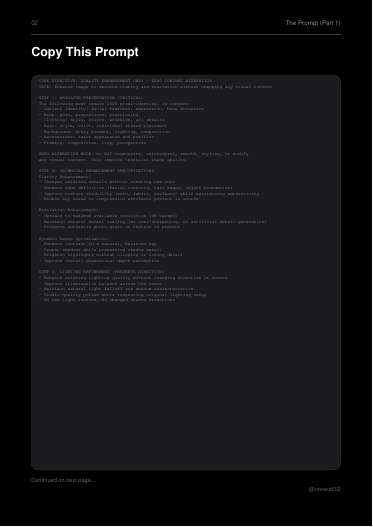
Upload an old image to Gemini/Nano Banana with one long structured prompt: CORE DIRECTIVE, TASK, five STEPs (absolute preservation list, technical enhancement, lighting refinement that keeps direction, color and tone, final quality standards), then a long NEGATIVE PROMPT.
Verbatim:
> "ZERO ALTERATION RULE: Do NOT regenerate, reinterpret, smooth, stylize, or modify any visual content. Only improve technical image quality."
> "NEGATIVE PROMPT: regenerated face, altered expression, modified features, changed pose, different clothing, altered hair, smoothed skin (must show natural texture), plastic skin, AI-smoothing effect, changed composition, added elements, removed elements, different lighting direction ..."
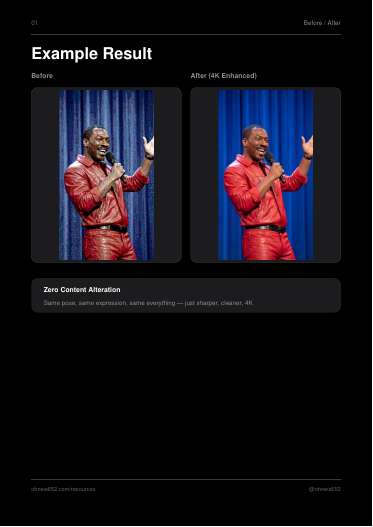
The before/after page shows a stage performer in red leather: the "after" is visibly more saturated and contrasty, not only sharper.
Steal for AdMaker
- For plates: nothing. Upscaling, sharpening, denoising or relighting an existing plate and presenting it as new is named verbatim in our golden rule as forbidden. Do not use this on any plate in any brand.
- Narrow possible use outside plates: cleaning up a low-res customer or reference photo for internal viewing only. Even that is risky for product references, because the output is a regenerated image, and our reference packs need real physical evidence, not model-restored pixels.
- Reusable wording: the preservation checklist and negative list ("plastic skin, AI-smoothing effect, HDR halo") are good additions to a fresh-generation prompt's negative block for realistic people.
- Rule flags: breaks the no-spa-treatment golden rule; Gemini/Nano Banana is not our still route.
Verdict
Skip: it is a plate touch-up tool by design; only the anti-plastic-skin negatives are worth copying.
Open the PDF
13 · Risograph Prompt
13 Risograph Prompt
What it is
Single style prompt plus how-to, 5 pages, March 2026. Tools named: Gemini with Nano Banana Pro/2, Midjourney, "any image-to-image AI". Turns an input image into a risograph print look.
The actual method
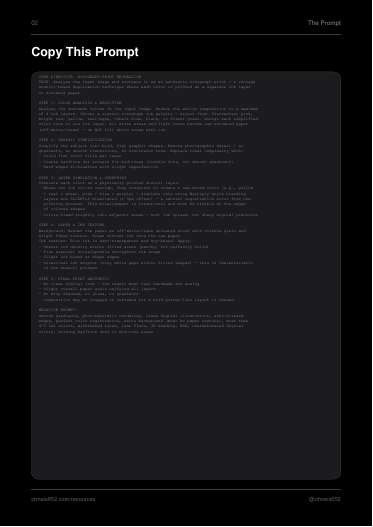
Paste the prompt and upload a source image. The prompt is structured: CORE DIRECTIVE, TASK, five STEPs, NEGATIVE PROMPT.
1. Color analysis and reduction to at most 4 ink layers from a named riso palette (fluorescent pink, bright red, yellow, teal/aqua, cobalt blue, black, forest green); whites stay raw paper.
2. Graphic simplification: flat fills, coarse halftone dots for mid-tones, hard silhouettes.
3. Layer simulation: overprint mixing via multiply ("yellow + teal = green"), 1 to 3 px misregistration, slight bleed.
4. Paper and ink texture: cream uncoated stock, uneven ink density, speckle, "occasional ink dropout".
5. Final: analog, no drop shadows, glows or gradients.
Verbatim:
> "Layers are SLIGHTLY misaligned (1–3px offset) — a natural registration error from the printing process. This misalignment is intentional and must be visible at the edges of colored shapes"
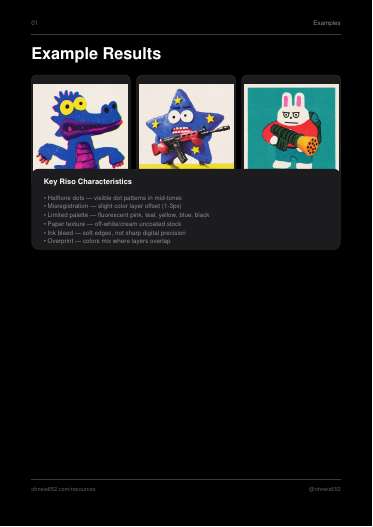
Pro tip in the file: "Works best with simple subjects — mascots, logos, portraits, objects". Page images show three riso-style cartoon mascots (a blue crocodile, a star, a rabbit).
Steal for AdMaker
- Packaging: the repo's Shahan label skill already targets a "Cult Pantry pink risograph direction"; this prompt's ink-layer, misregistration and dropout specs are a precise vocabulary for those label concepts (fresh generations, not conversions of an approved artwork).
- Ads: a riso poster frame could serve a Dog Academy mascot or a scroll-stopping text-led static, but it removes photographic product fidelity, so never apply it to the product itself.
- Rule flags: the method is image-to-image restyling of a source. Restyling an existing plate is a derived edit and banned; use the spec as text in a fresh Codex image_gen generation. Gemini/Nano Banana and Midjourney are not our routes. "Composition may be cropped or reframed" would break product keep-clear placement.
Verdict
Worth a test for Shahan or other packaging concepts as written-spec language; Skip for product ads.
Open the PDF
14 · Claude Code Setup
14 Claude Code Setup (Claude Code Studio)
What it is
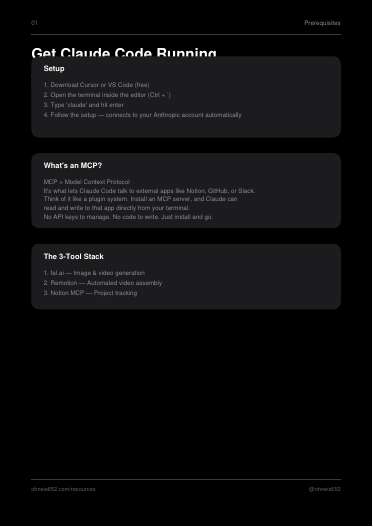
Setup guide, 7 pages, March 2026. Tools named: Claude Code (in Cursor or VS Code), fal.ai client (Nano Banana 2, FLUX, image-to-video), Remotion, Notion MCP.
The actual method
"3 installs. One terminal."
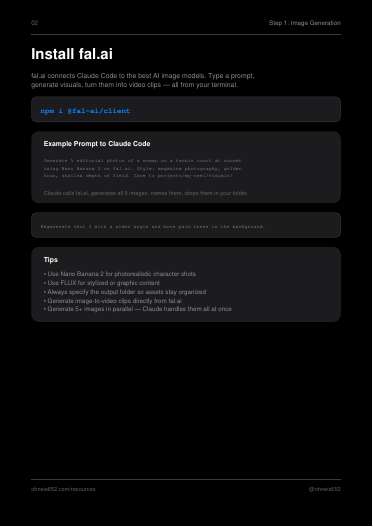
1. npm i @fal-ai/client, then ask Claude Code to generate images on fal.ai into a named project folder; regenerate a single shot by number.
2. npm i remotion @remotion/cli, then ask Claude Code to assemble voiceover, images and animated captions into a 1080x1920 MP4. Tip: "Feed your shot deck as a JSON file for maximum control".
3. claude mcp add notion npx @notionhq/notion-mcp-server, then have Claude create and update a Reels database entry with hook, script, caption and phase.
Verbatim example prompts:
> "Generate 5 editorial photos of a woman on a tennis court at sunset using Nano Banana 2 on fal.ai. Style: magazine photography, golden hour, shallow depth of field. Save to projects/my-reel/visuals/"
> "Assemble my reel. Use the voiceover from projects/my-reel/voiceover.mp3, the 5 images from projects/my-reel/visuals/, add animated captions, and export as MP4 in 1080x1920."
Steal for AdMaker
- We already run this architecture, and further: Claude Code plus the Hyperframes Remotion editor, Codex CLI for stills, a history ledger, review boards and gates. The one small, concrete tip is "shot deck as JSON" as the Remotion input; our brand data/ timing files already do this.
- Nothing else new.
- Rule flags: fal.ai is a paid third-party API route for image generation; our stills are locked to Codex image_gen through the CLI. Notion as tracker would duplicate our append-only history/events/ ledger, which is the portable source of truth.
Verdict
Skip: we already run a stricter version of this stack; fal.ai would break the still-image route lock.
Open the PDF
15 · Beverage Pipeline
15 Beverage Pipeline
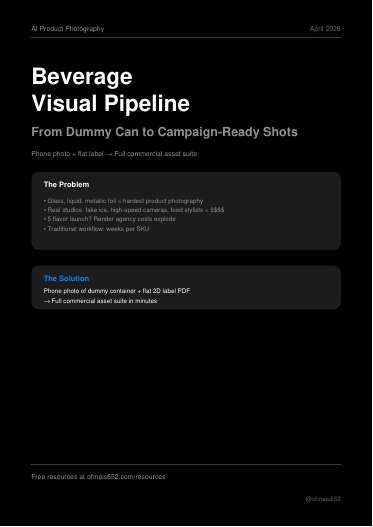
What it is
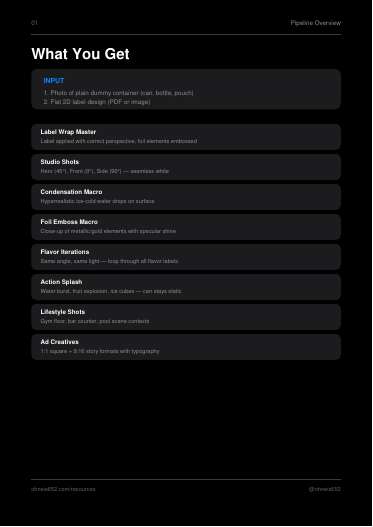
Multi-step product-photography pipeline, 12 pages, April 2026. Inputs: a phone photo of a plain dummy container plus a flat 2D label (PDF or image). No specific generator named; it is a set of prompts with named outputs and user variables. Outputs: 14 images per SKU (18 for 5 flavors, 23 for 10).
The actual method
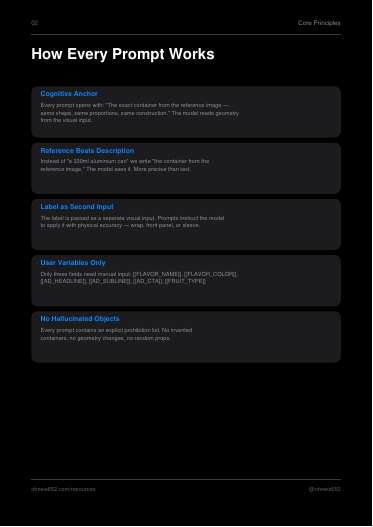
Core principles (page 2):
- "Cognitive Anchor": every prompt opens with "The exact container from the reference image — same shape, same proportions, same construction."
- "Reference Beats Description": refer to "the container from the reference image", not "a 330ml aluminium can".
- Label passed as a separate visual input with physical wrap rules.
- Only bracketed user variables change: [[FLAVOR_NAME]], [[FLAVOR_COLOR]], [[AD_HEADLINE]], [[AD_SUBLINE]], [[AD_CTA]], [[FRUIT_TYPE]].
- Every prompt carries an explicit prohibition list ("No hallucinated objects").
Steps with named outputs: 1 Label Wrap Master [MASTER_WRAPPED] (alpha cutout); 2 Studio shots 45 / 0 / 90 degrees; 3 Condensation macro and foil-emboss macro; 4 Flavor loop with identical camera, light and framing; 5 Action shots (water splash, fruit burst, ice burst, product static); 6 Lifestyle (gym floor, marble bar); 7 Ad creatives 1:1 and 9:16 with type rendered in; 12 Asset manifest.
Verbatim (label wrap rule):
> "Metallic or foil elements (gold lettering, silver icons) must NOT render as flat ink. Simulate hot-stamp foil embossing: slight surface relief, sharp directional specular highlight, mirror-like reflectivity."
Verbatim (condensation):
> "Coverage: condensation covers both bare surface and label. Drops sit ON TOP of printed surface — do not erase or smear label text. All text remains readable."
Verbatim (splash):
> "The container is completely STATIC. It does not move, tilt, rotate, or deform. ... The primary label face remains clearly visible and unobstructed. Water does not cover front panel."
Verbatim (ad layout):
> "Container occupies right 55% of frame. ... Left 45% is intentional negative space reserved for typography. ... Typography must not overlap container body or label. All text spelled exactly."
Steal for AdMaker
- The strongest structure in this batch for us. Directly reusable pieces:
- Opening anchor sentence plus "reference beats description" for every Codex image_gen call with RAW, CHL or Wonder references attached.
- "Product is STATIC, environment moves around it" plus "label face unobstructed, all label text legible" as standard clauses for any product hero, splash or burst plate (RAW bottle in a scent-burst, Wonder serum with droplets, CHL bottle with capsules).
- Condensation and foil rules as a material-physics block (RAW bottle glass and cap; any foil on CHL labels).
- Flavor-loop consistency rules map to Midnight versus regular RAW, or any SKU line: same camera, light and scale so variants compare side by side.
- The ad layout clause (product right 55%, type in left 45%, "must not overlap container body or label") is our "never type on the product" rule written as a prompt; good for one-pass route B.
- Named outputs plus an asset manifest per SKU mirrors our per-plate receipts.
- Rule flags:
- The pipeline feeds its own generated [MASTER_WRAPPED] in as the reference for all later shots. Our product must match the official real references; a generated master as authority is circular. Attach the real reference pack each time (it is not a spa treatment, since later shots are new generations, but the authority is wrong).
- Label wrap on a dummy suits only unreleased packaging (concepts under $craft-packaging-image-prompts or Shahan labels), never a live product we have real photos of.
- Ad formats are 1:1 and 9:16; ours are native 4:5 Feed masters (and separately authored 9:16). The sample headlines ("FEEL THE VOLTAGE") are product-first with no pain; our copy must be pain-first.
- "8K. Hyperrealistic." beauty-shot style is the opposite of our candid-phone look for people ads; use it only for product-hero plates.
Verdict
Use now: the anchor sentence, static-product and label-legibility clauses, and keep-clear layout clause drop straight into our Codex image_gen product-hero prompts.
Open the PDF
16 · Furniture Pipeline
16 Furniture Pipeline (Furniture PDP Pipeline)
What it is
Node-based product-photography pipeline, 12 pages, April 2026. Inputs: a phone photo of a furniture piece plus a color/material list. Tools named: ComfyUI, Pixa, Flora, Freepik Spaces; background removal via remove.bg, Photoroom, BiRefNet or RMBG-2.0. Output: 15 images per SKU (19 for 5 colors, 24 for 10).
The actual method
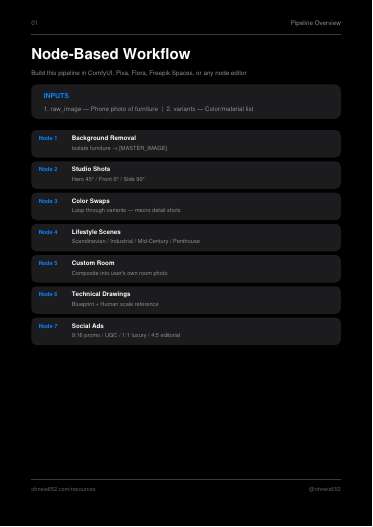
Seven nodes from one isolated cutout:
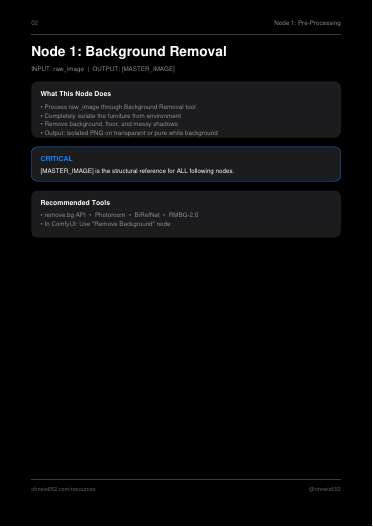
1. Background removal to [MASTER_IMAGE], "the structural reference for ALL following nodes".
2. Studio shots: hero 45, front 0, side 90 degrees, run in parallel.
3. Color/material swaps as macro detail shots, looped per [[TARGET_VARIANT]].
4. Lifestyle scenes generated around the unchanged object (Scandi/Japandi, industrial loft, mid-century, penthouse).
5. Custom room: composite the cutout into a customer's room photo.
6. Technical: cyanotype CAD blueprint and a human-scale silhouette (180 cm) on the same ground plane.
7. Social ads: 9:16 hard promo, 9:16 UGC review style with five stars, 1:1 luxury, 4:5 editorial, each with exact text rendered in.
Verbatim (studio shot):
> "Use the attached image as a strict structural reference. Generate a professional e-commerce product studio shot of this exact same furniture piece, but rotate the perspective to a perfect 45-degree 3/4 angle. You must maintain the identical geometry, proportions, cushions, legs, material, and color as the reference."
Verbatim (lifestyle opener used in all four scenes):
> "Use the attached furniture image as the strict subject. Do NOT alter the furniture's shape, color, or material. Generate a highly photorealistic, bright Scandinavian/Japandi style interior room seamlessly around the furniture."
Verbatim (human scale):
> "Immediately next to the furniture, generate a minimalist, flat-grey vector silhouette of a standing adult human (representing a person 180cm / 5'11'' tall). Both the furniture and the human silhouette must share the exact same ground plane to establish a clear, accurate visual scale reference."
Steal for AdMaker
- Same pattern as 15 with a different product; the reusable parts are the "strict subject, do NOT alter, generate the environment around it" opener and the per-format ad prompts with negative space reserved for type.
- The human-scale silhouette idea is a cheap fix for our recurring product-scale problems (memory: product box size gates, CHL capsule real-size standard): a scale panel could help PDP pages show true bottle size. Use as a fresh generation with the real references attached.
- The four ad templates (hard promo, UGC review with stars, luxury, editorial 4:5) are format starters only; each needs a pain-first hook, and our proof must be real named reviews, not a generic five-star line.
- Rule flags: Node 1 cutout plus Node 5 compositing the cutout into another photo is a pasted collage, which breaks "one picture, no collages"; background removal of a product photo used as the generation authority also falls short of our reference packs. Node 3 "change the entire upholstery" is a variant edit of the reference, fine for furniture, irrelevant to our fixed products. ComfyUI/Pixa/Flora/Freepik are not our tools.
Verdict
Worth a test: the "generate around the unchanged product" opener and the human-scale panel are useful; the cutout-composite core is off-route for us, and 15 covers the same ground better.
Open the PDF
17 · Fashion Pipeline
17. Fashion Pipeline (fashion_pipeline.pdf)
What it is
Node-based pipeline guide, 11 pages. Tools named: Pixa, ComfyUI, Flora, Freepik Spaces (any node editor), Claude for vision analysis. One garment photo plus a colour list in, a PDP and campaign suite out.
The actual method
Eight nodes, all fed by one variable block:
1. Vision analysis (Claude) extracts [OBJECT_TYPE] [PRIMARY_MATERIAL] [PRIMARY_COLOR] [SECONDARY_MATERIALS] [GARMENT_DETAILS] [MACRO_FOCUS] and passes the block to every later node "as context" so the model "always knows exactly what it's working with".
2. Background removal to [MASTER_CUTOUT].
3. Studio shots: hero 45°, front 0°, folded, back.
4. Colorway loop, once per colour in [[COLOR_ARRAY]].
5. 100mm macro detail.
6. Editorial flat lay with 2 to 3 props keyed to a [STYLE_ARCHETYPE] lookup table.
7. Lifestyle / on-model.
8. Three ad formats: 8A Inventory Editorial (catalog page, red hairline frame with crop marks, big serif headline in lower 30%), 8B Split-Panel Cinematic (top 35% moody landscape, 2% black bar, bottom 63% macro of the product reacting to the same weather), 8C Cutout Collage (2x2 photo grid with the product as a white die-cut sticker on top).
Every node prompt opens with the same lock, then "Execute transformation:", then a "Prohibited:" line. Asset manifest names each output ([STUDIO_HERO], [MACRO_DETAIL], [AD_CINEMATIC_SPLIT] ...). Base single SKU = 12 images.
Verbatim (Node 5):
> Lighting: Raking directional light from a single source at 15-degree angle to the fabric surface — maximizes texture depth. No flat lighting.
Verbatim (Node 6):
> Leave one corner as negative space for typography (add no text).
Verbatim (Node 8B):
> The composition must feel like a film still, not an advertisement.
Steal for AdMaker
- Variable block from a vision read, injected into every prompt. Run one Terra read per product reference pack (RAW bottle, CHL bottle, Wonder serum, DA has no product) to fill [OBJECT_TYPE] [PRIMARY_COLOR] [MACRO_FOCUS] etc., store it in the brand playbook, and paste it into every Codex image_gen prompt beside the attached references. Cheap fidelity insurance.
- Opening lock + "Prohibited:" closer as a fixed prompt frame for plates.
- 8B split panel is a strong one-pass format for RAW (top: night street or bar, bottom: macro of the bottle) and CHL (top: grey commute fog, bottom: capsule macro). Pain lives in the top panel.
- Node 5 raking-light macro language for product-detail plates.
- Node 6 "leave a corner as negative space, add no text" matches our HTML type route and the never-type-on-product rule.
- Rule flags: Node 2 cutout and 8C "sticker over a 2x2 photo grid" are compositing of a cutout onto other photos, which clashes with our one-picture / no-collage golden rule for route-A plates. Node 4 colorway changes alter the product, so off-limits for real SKUs. The node tools (Pixa, ComfyUI, Flora, Freepik) are not our route; the prompts port to Codex image_gen with references attached.
Verdict
Use now. The vision-variable block and the lock/transform/prohibit prompt frame drop straight into our Codex plate prompts; 8B is worth one test concept.
Open the PDF
18 · Gemini Slide Workflow
18. Gemini Slide Workflow (Workflow_V2_Final.pdf)
What it is
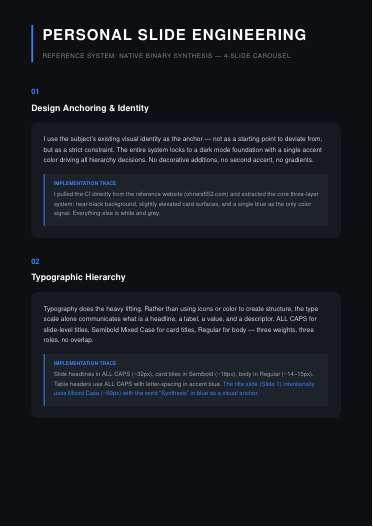
A 3-page design spec ("Personal Slide Engineering") explaining how a 4-slide 1080x1080 dark-mode carousel was built. No tool is named inside the text beyond the title; the index calls it a Gemini slide workflow.
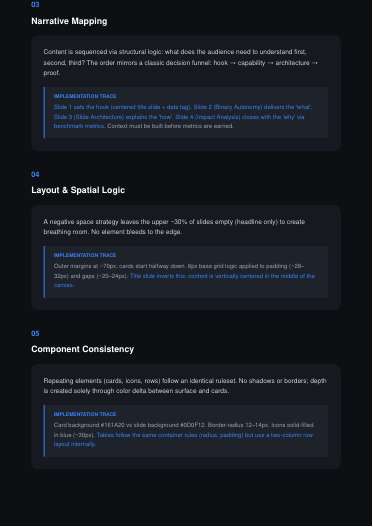
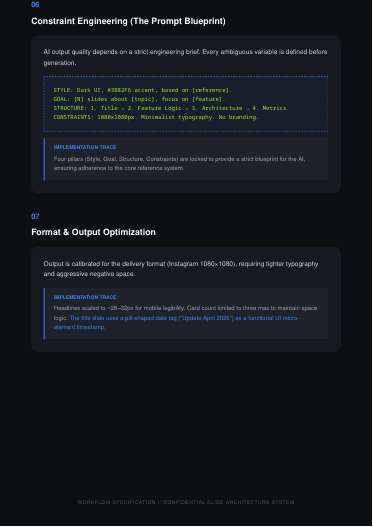
The actual method
Seven principles, each with an "implementation trace":
1. Anchor to the subject's existing visual identity as a strict constraint: near-black background, slightly lighter cards, one accent blue, nothing else.
2. Typography carries hierarchy: ALL CAPS slide titles (~32px), Semibold card titles (~18px), Regular body (~14 to 15px). "Three weights, three roles, no overlap."
3. Narrative order: hook, capability, architecture, proof. "Context must be built before metrics are earned."
4. Upper ~30% of each slide left empty except the headline; ~70px margins; 8px grid.
5. Depth only from colour delta (card #161A20 on #0D0F12), radius 12 to 14px, no shadows or borders.
6. Four-pillar brief.
7. Max three cards per slide for mobile.
Verbatim template:
> STYLE: Dark UI, #3B82F6 accent, based on [reference].
> GOAL: [N] slides about [topic], focus on [feature].
> STRUCTURE: 1. Title → 2. Feature Logic → 3. Architecture → 4. Metrics.
> CONSTRAINTS: 1080x1080px. Minimalist typography. No branding.
Steal for AdMaker
- The four-pillar brief (STYLE / GOAL / STRUCTURE / CONSTRAINTS) is a tidy header for carousel and review-board briefs.
- "Three weights, three roles" and "one accent colour" are good defaults for HTML-typeset offer panels.
- Rule conflict: body at 14 to 15px on a 1080 canvas is far below our Instagram type floor for carousels (support text 32px or more, tags 19px or more). Do not copy the sizes.
- Rule conflict: "hook, capability, architecture, proof" is a product-explainer order, not pain-first. Our carousels must open on the pain.
Verdict
Skip for ads. A slide-style note, not a generation method; the sizes break our type floor.
Open the PDF
19 · Grok Imagine Guidelines
19. Grok Imagine Guidelines (grok_imagine.pdf)
What it is
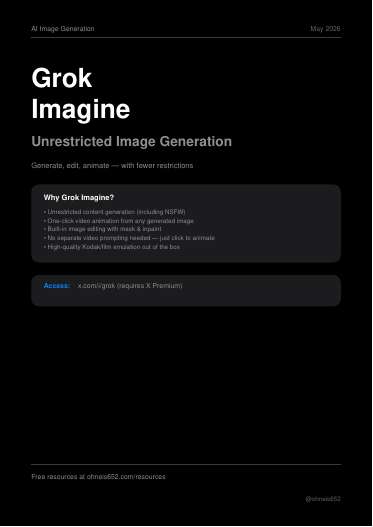
Tool guide plus 3 prompts, 8 pages. Tool: Grok Imagine on X (requires X Premium). Sells "unrestricted" generation including NSFW, mask-and-inpaint editing, one-click "Animate" to video, Kodak film emulation.
The actual method
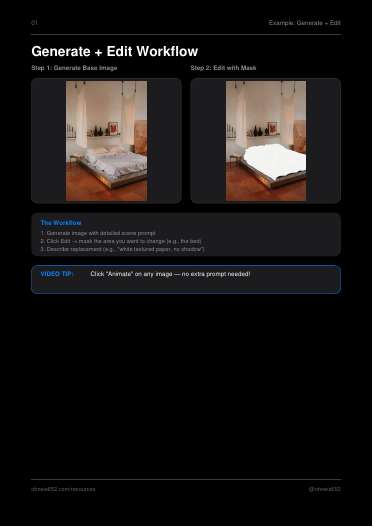
1. Write a long scene prompt and generate.
2. Click Edit, mask an area (example: the bed), describe a replacement ("white textured paper, no shadow").
3. Click Animate, no video prompt needed.
Three prompts: a 400-word Kodak Portra 400 bedroom interior, a gold shell pendant macro on skin, a coastal back-view wool-wrap fashion portrait. The last two use a comma-stacked spec list ending in the same grade block. Verbatim grade tail:
> Kodak Portra 400 emulation, ... lifted blacks, low contrast, tactile heavy wool surface and coastal stone texture both present, lived-in atmospheric outdoor quality, neo-minimalist campaign aesthetic
The paper-mask edit prompt asks that the subject and background "remain 100% pixel-identical" while a masked region is replaced by a featureless hand-cut paper shape.
Steal for AdMaker
- The film-grade tail ("Kodak Portra 400 emulation, lifted blacks, low contrast, tactile ... texture present, lived-in") is reusable wording for Codex plate prompts when a plate reads too clean or AI-smooth (RAW couple scenes, Wonder before/afters shot on "two different days").
- Rule breaks: the core workflow is mask-and-inpaint on a generated image, which is a spa treatment and banned on plates. Grok is not one of our generators. "Animate with no prompt" conflicts with our Kling/Seedance prompt discipline.
Verdict
Skip. Wrong tool and an inpainting workflow; keep only the film-grade wording.
Open the PDF
20 · Halftone Workflow
20. Halftone Workflow (halftone_prompt.pdf)
What it is
Image-to-image style-transfer guide, 7 pages. Tools named: Gemini, ChatGPT ("any image-to-image AI"), Photoshop for prep. Note: the halftone prompt text itself is not in the PDF text or the viewed pages; only the workflow and before/after examples are.
The actual method
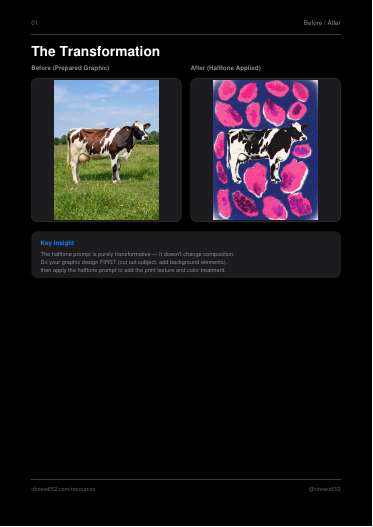
1. Do the graphic design first: cut out the subject, add background colour and elements (Photoshop rough brushes, or an AI pre-edit like "Cut out the cow, place on blue background, add pink spots").
2. Upload the prepped graphic plus the halftone prompt to Gemini.
3. Export for ads, carousels, posters.
Key claims, verbatim:
> The halftone prompt is purely transformative — it doesn't change composition.
> PRO TIP: The rougher your input graphic, the more authentic the final result looks. Don't over-polish the prep work!
Examples: cow on navy with pink blobs, a portrait turned acid-yellow halftone.
Steal for AdMaker
- The idea "design the layout first, apply the texture pass last" matches our order of plate, then type.
- Little else is usable. There is no prompt to copy.
- Rule breaks: the method feeds a finished image back in to be restyled, which is a derived output of the plate and breaks the no-spa-treatment rule if the input is an accepted plate. A halftone pass would also distort the product, failing the reference-match rule. Gemini and ChatGPT web are not our routes.
Verdict
Skip. No prompt in the file, and the method is a post-pass on an existing image.
Open the PDF
21 · Jewelry Pipeline
21. Jewelry Pipeline (jewelry_pipeline.pdf)
What it is
Agent system prompt plus pipeline wiring, 10 pages. Tools named: Claude ("or any LLM project") as the agent, Kling for the video stub. Sketch or CAD render in, up to 15 assets out. Steps 6A, 6B, 6C are placeholders in the free version.
The actual method
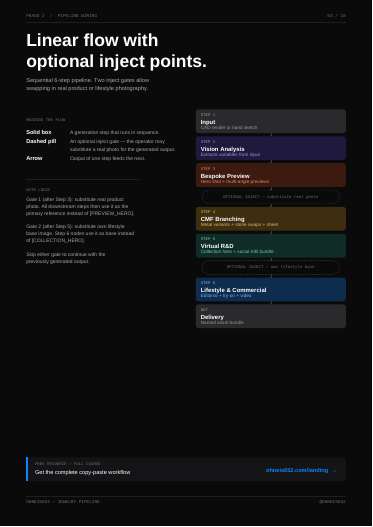
- Phase 1 vision analysis extracts [PIECE_TYPE] [PRIMARY_METAL] [PRIMARY_STONE] [STONE_CUT] [SETTING_STYLE] [MACRO_FOCUS] [PLACEMENT_LOGIC] [COLLECTION_MOOD].
- Linear 6-step flow: input, vision analysis, bespoke preview (hero + 45°, 0°, 90°), CMF branching (metal loop x4, stone loop x3, variant sheet), virtual R&D (collection hero + social A/B), lifestyle and commercial (editorial, try-on, 4-second video loop).
- Inject gates: Gate 1 after Step 3, the operator may substitute a real product photo, labelled [REAL_PHOTO_1], which then becomes the primary reference for all downstream steps. Gate 2 after Step 5 accepts a real lifestyle base image.
- Human decision gate after the social A/B: operator chooses "produce" or "archive" from engagement before Step 6.
- Delivery naming: [BRAND]_[PIECE_TYPE]_S4A_[METAL] etc., plus a one-page index of asset, size, use, source step.
- Prohibition list, verbatim:
> Never change [PIECE_TYPE] silhouette, proportions, or [SETTING_STYLE] geometry
> Never hallucinate design details not present in the reference
> Never add typography to any frame
Verbatim (Step 5B, Post 1):
> The exact [PIECE_TYPE], same materials. 1:1 square format. Clean textured surface matching [COLLECTION_MOOD]. Upper 30% open negative space for typography. Shallow depth-of-field background. No text rendered. 4K.
Steal for AdMaker
- Real-photo inject gate is the right pattern for us: the approved product reference pack is always "Gate 1", never a generated preview. Worth writing into plate briefs as an explicit line: "all downstream plates reference [REAL_PHOTO_1] only".
- Negative-space spec by percentage ("upper 30% open", "bottom 25% open for caption", "no text rendered") is exactly what our HTML type route needs from a plate, and keeps type off the product.
- Prohibition list ports nearly verbatim into our plate prompts.
- Naming convention with step code and a one-page asset index fits our per-plate receipts.
- Rule flags: metal/stone swap loops change the product, so not for real SKUs. The variant comparison sheet is an internal board, fine, but not an ad (no-collage rule). The engagement gate is a judgement on platform data, which matches our "judge scores are guesses" stance.
Verdict
Use now. Inject-gate logic, percentage negative-space specs and the prohibition list are direct upgrades to plate prompts.
Open the PDF
22 · FAL - UGC Setup
22. FAL - UGC Setup (ugc_pipeline.pdf)
What it is
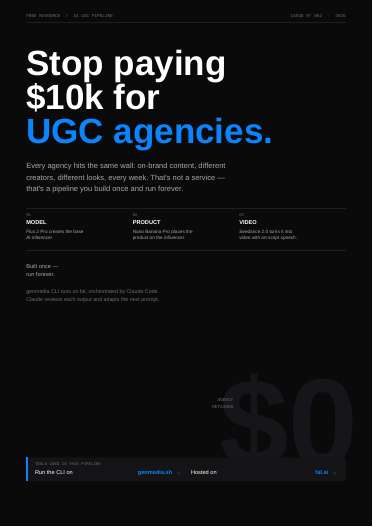
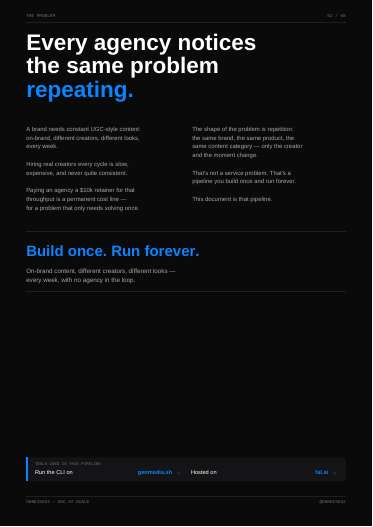
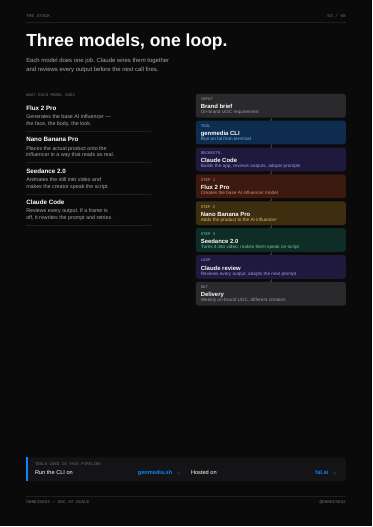
Setup guide for an AI-UGC pipeline, 8 pages. Tools named: genmedia CLI on fal.ai (API key), Claude Code as orchestrator, Flux 2 Pro (AI influencer), Nano Banana Pro (product onto influencer), Seedance 2.0 (video with on-script speech), fal-recipes skill / fal Community Skills.
The actual method
1. Brand brief in.
2. Flux 2 Pro makes the base AI creator.
3. Nano Banana Pro places the product on the creator.
4. Seedance 2.0 animates and makes the creator speak the script.
5. Claude reviews every output; if a frame is off, it rewrites the prompt and retries.
Install: curl https://genmedia.sh/install -fsS | bash, genmedia setup, genmedia --help. Two drive modes: type the command yourself, or describe it to Claude Code, verbatim example:
> "Use genmedia to generate a 16:9 image of [scene] using Nano Banana Pro."
Positioning line: rotate "creators, framings, and moments, never the brand."
Steal for AdMaker
- The three-stage split (creator still, product-on-creator still, speaking video) mirrors our RAW video route; the useful idea is a Claude review step between every call.
- "Rotate creator and moment, never the brand" is a sound brief for Wonder and CHL UGC batches.
- Rule breaks: fal.ai with its own API key and billing, Flux 2 Pro and Nano Banana Pro via fal are not our routes (stills go through Codex image_gen; Gemini only on request). Seedance is in our video stack but through our gated RAW video workflow. An auto-retry loop conflicts with RAW's one-draft-per-request and named-failed-gate retry rule.
Verdict
Skip. It is a vendor install guide for a stack we do not run; our RAW video gates already cover the review loop.
Open the PDF
23 · UGC Agent One
23. UGC Agent One (ugc_agent.pdf)
What it is
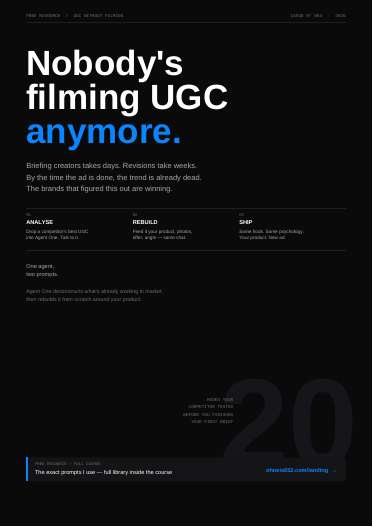
Two-prompt competitor-UGC rebuild workflow, 8 pages. Tool: an unnamed chat agent ("Agent One"); output is a scene brief for "your video generator". The full prompts are behind the course; only the two short user prompts are given.
The actual method
1. Pick a competitor UGC ad that has run for weeks: "Don't analyse the variants. Analyse the winner."
2. Prompt 1, verbatim:
> Can you check my competitor's video and analyse the hook structure, the emotional triggers, and why this video converts?
Returns hook structure (first 1 to 3 s), emotional trigger (status, urgency, relief, FOMO, validation), conversion logic, visual grammar (framing, pacing, eye contact, props, audio).
3. Prompt 2, same chat, after uploading product, photos, offer, angle:
> Cool, I just uploaded my product. Create 4 different UGC models similar to the one in the reference video and let them wear my ring.
4. Output is a scene brief in three blocks: SCENE, DIALOGUE, DIRECTION ("Natural social media energy. Authentic reactions. Realistic handheld motion. Ambient sounds. No captions.").
5. Generate 4 variants with different creators, same structure; ship all 4 and let the platform pick.
Steal for AdMaker
- Analyse the long-runner, not its variants is the same durability rule our find-printing-ads skill uses; good confirmation.
- The four-part read (hook, trigger, conversion logic, visual grammar) is a compact schema for logging competitor UGC in hook banks for RAW, CHL, Wonder and Dog Academy.
- SCENE / DIALOGUE / DIRECTION is a clean brief shape for Seedance or Kling UGC clips.
- Rule flags: "same structure, same psychology" is fine; mirroring the competitor's layout or creator wholesale conflicts with our "never port a competing pass" and "statics must be unique" rules. Dialogue still has to come through our copy skills and blind reads, not the agent. Kling prompts must stay short and motion-only per our rule, so the SCENE block would be trimmed for Kling.
Verdict
Use now. The four-part competitor read and the SCENE/DIALOGUE/DIRECTION brief slot into existing research and video workflows.
Open the PDF
24 · Pixel Transition Workflow
24. Pixel Transition Workflow (pixel10_lens_transition.pdf)
What it is
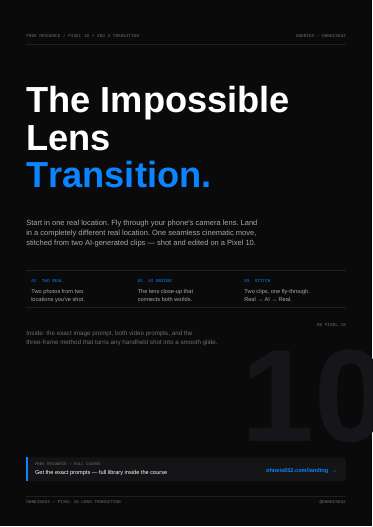
Video transition workflow, 9 pages. Tools named: Pixel 10 phone, Gemini (Agent mode, Nano Banana Pro) for the image, Veo 3 for start-to-end-frame video, Google Flow (optional, up to four parallel generations), any editor to stitch.
The actual method
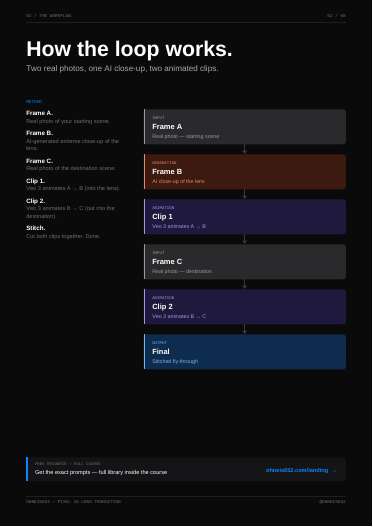
Three frames, two clips:
- Frame A: real photo of the start scene. Frame B: AI macro of the phone's pinhole lens, made from Frame A. Frame C: real photo of the destination.
- Clip 1: Veo 3 animates A to B (dolly into the lens). Clip 2: B to C (glide out the other side). Cut on the shared lens frame.
Verbatim image prompt core:
> The only adjustment is the extreme camera zoom onto the pinhole camera area.
> Do not redesign or alter the phone or environment in any way.
Verbatim video prompt core:
> The motion should feel like one uninterrupted static dolly camera move with completely consistent speed — no speed ramps, no sudden acceleration, no handheld shake, no cuts or edits.
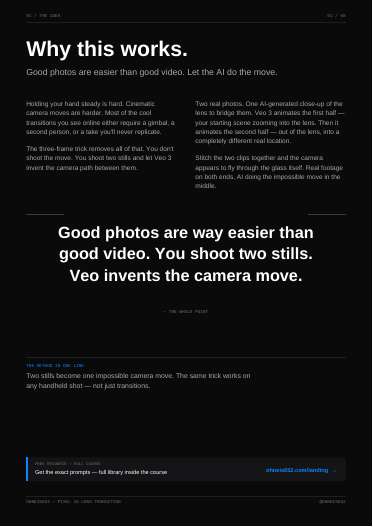
Bonus: the same two-still method replaces any shaky handheld move ("Good photos are way easier than good video").
Steal for AdMaker
- Shared bridge frame for invisible cuts: end clip 1 and start clip 2 on the same still. Could join a RAW "before" scene and "after" scene through a macro of the bottle's atomiser, or CHL through a capsule macro.
- The anti-speed-ramp wording is useful for any start/end-frame model.
- Rule conflicts: Veo 3, Gemini and Google Flow are not our routes. Our Kling rule is start image only, no end frames, 15 to 45 word motion prompts, so the A-to-B end-frame method would need a model in our stack that supports end frames, which the file does not cover. Frame B is generated from Frame A as input; fine for footage, but never do it from an accepted plate.
Verdict
Worth a test only if a route in our video stack supports start and end frames; otherwise skip.
Open the PDF
25 · Envato Floating UI
25. Envato Floating UI (envato_floating_ui.pdf)
What it is
Two-prompt trend workflow, 8 pages. Tools named: Envato (one platform), its image generator powered by Nano Banana, its video generator powered by Seedance 2.0. One full image prompt given; no video prompt text (just "send the still in").
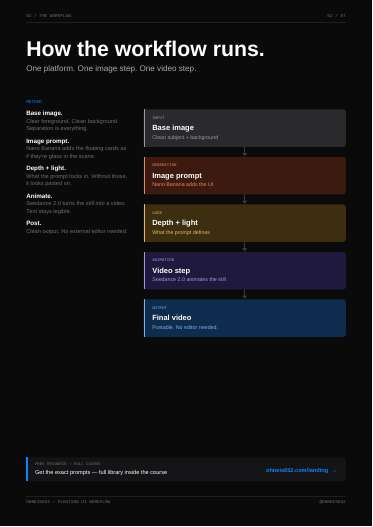
The actual method
1. Base image with a clear foreground subject and a clean background ("Separation is everything").
2. Image prompt adds holographic cards around the subject, defined by depth and light source: foreground card lowest, closest, largest, sharpest, overlapping the chest; midground cards at shoulder height, one partly behind the shoulder; background cards above and behind, smaller, softer, with foliage visible through gaps.
3. Seedance 2.0 animates: cards drift, subject stays, card text must stay legible; if text warps, regenerate the still.
4. Run 3 variations and keep the best depth separation.
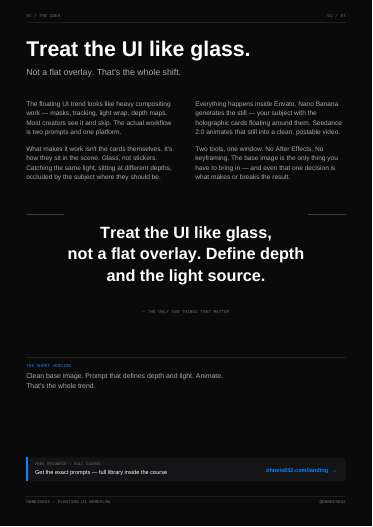
Core idea, verbatim:
> Treat the UI like glass, not a flat overlay. Define depth and the light source.
Prompt excerpt, verbatim:
> foreground card lower-center closest to lens appearing largest and sharpest, partially overlapping subject's chest and lower jacket from camera perspective
Steal for AdMaker
- Three-plane depth spec (foreground / midground / background, each with size, sharpness and occlusion) is a good habit for any prompt with floating elements: review cards, star ratings or "4.9 from 2,600+ reviews" proof cards around a CHL or Wonder user, or text-message bubbles around a RAW couple. Written as a full generation in Codex image_gen with product references, not an edit.
- "If the text warps in video, regenerate the still" is a clean QA rule for any animated type.
- Rule flags: the method edits an existing base image; on an accepted plate that is a spa treatment, so we would write the cards into a fresh full generation instead. Envato and Nano Banana are not our routes. Generated card text is rendered in-image, so it must pass our rendered-pixel and copy gates, and cards must not cover the product.
Verdict
Worth a test. The depth-and-light spec could lift proof-card statics; needs a fresh-generation rewrite to fit our rules.
Open the PDF
26 · 10 Almost Free AI Tools
26. 10 Almost Free AI Tools (ai_stack.pdf)
What it is
A listicle, 9 pages. Tools named: DeepSeek, Kimi, Qwen, Mistral Le Chat, You.com, Komo, Krea AI, Glasp, HuggingChat, Together AI.
The actual method
No method. One page per tool with a tagline, a link and a "best for" line (for example Kimi "256K tokens. One window."; Krea "Images that form as you type."; Together AI hosted open models, pay per token).
Steal for AdMaker
None. Every model call in AdMaker goes through the installed Codex CLI (plus Claude for copy reads); these are outside our route lock. Krea real-time generation would be a new image generator, which the image rule forbids without an explicit ask.
Verdict
Skip. Tool list with no workflow, and every tool sits outside our locked routes.
Open the PDF
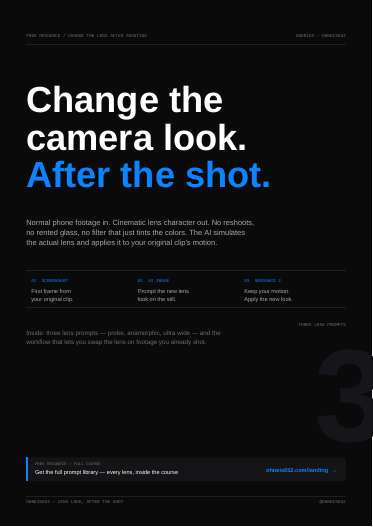
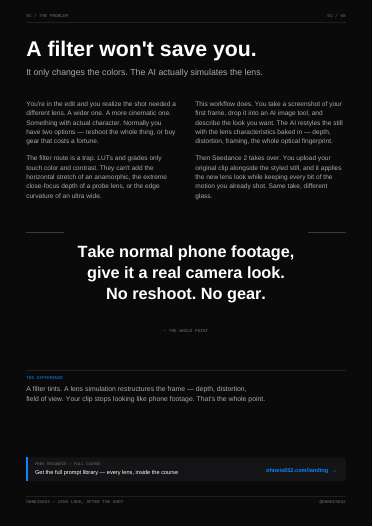
27 · Lens Transition Effect
27. Lens Transition Effect (lens_look_after_shot.pdf)
What it is
Video restyle workflow, 9 pages. Tools named: "AI image tool" (unspecified) for the still, Seedance 2 for applying the look to the whole clip. Three lens prompts given in full.
The actual method
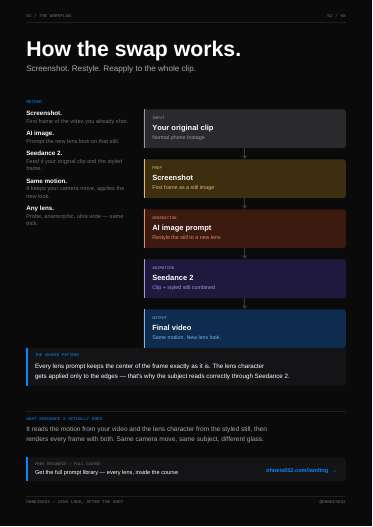
1. Screenshot the first frame of the clip.
2. Restyle the still with a lens prompt.
3. Upload the original clip plus the styled still to Seedance 2 with the instruction line, verbatim:
> Keep the motion of the uploaded video. Apply the lens look of the uploaded image to every frame. Preserve subject, timing, and camera movement.
Five-part prompt skeleton:
1. Name the lens perspective.
2. Say the centre stays exactly as it is.
3. Push lens character to the outer areas (distortion, curvature, field of view).
4. Allow the periphery to extend with subtle invented content.
5. Lock framing and aspect ratio.
Probe-lens prompt excerpt, verbatim:
> Keep all essential details in the center exactly as they are, preserving the main subject and core composition. Apply the lens transformation mainly through exaggerated spatial depth, close-focus perspective, and wide-angle edge behavior, as if captured with a probe lens placed extremely close to the scene.
Notes from the file: "subtle" keeps anamorphic from looking like a preset; "natural" and "mild" keep ultra wide from reading as fisheye.
Steal for AdMaker
- "Keep the centre, change the edges" is a useful clause pattern whenever a frame must hold the product sharp while the look changes. For a fresh plate, write "probe lens, close-focus depth, wide-angle edges" into the generation prompt so a RAW bottle or CHL capsule hero gets the immersive macro look in one pass.
- Clip + styled still into Seedance could unify the look of mixed AI clips in a RAW or Wonder edit, if our gated video route allows a video-to-video pass.
- Rule flags: restyling a screenshot of an existing frame is a derived edit; never use it on an accepted plate. Generic "AI image tool" must be Codex image_gen for us. Edge outpainting ("invented content") on stills counts as outpainting a plate, which is banned.
Verdict
Worth a test for video only: the lens vocabulary is useful in prompts; the restyle loop needs our video gates.
Open the PDF
28 · Mixed Media Prompts
28. Mixed Media Prompts (analog_collage_prompts.pdf)
What it is
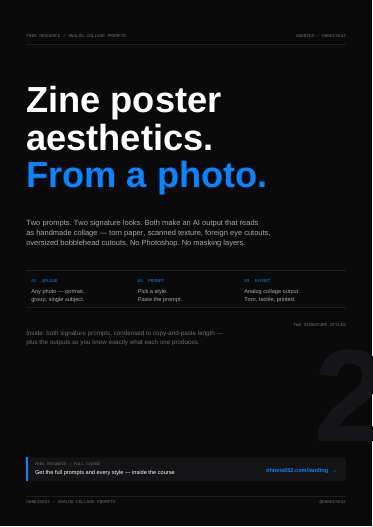
Two image-to-image style prompts, 6 pages, each about 494 characters (condensed; full versions in the course). Tool: "any AI image tool".
The actual method
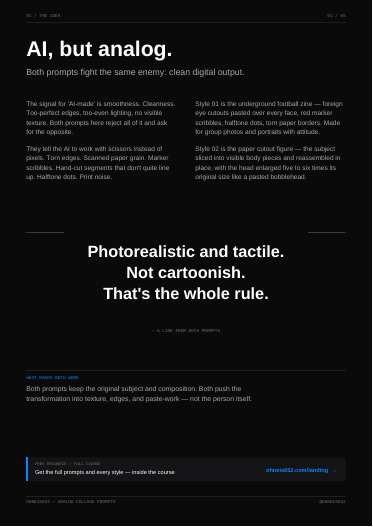
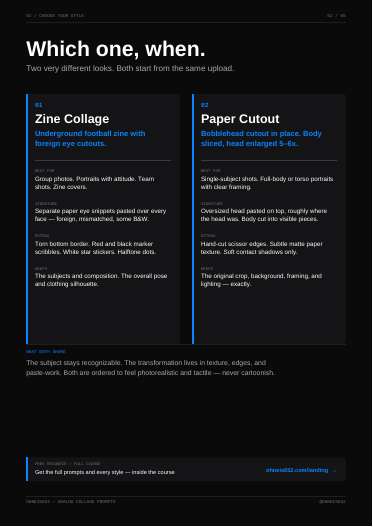
Upload a photo, paste one prompt. Both prompts keep subject and composition and move the change into texture, edges and paste-work. Shared rule: "Photorealistic and tactile. Not cartoonish."
- Style 01 Zine Collage (groups, portraits): separate foreign eye cutouts over every face, scanned paper, halftone dots, torn bottom border, red and black marker scribbles, white star stickers. Signature: "each eye its own cutout, never one strip".
- Style 02 Paper Cutout (single subject): body cut into paper pieces, head enlarged 5 to 6x like a pasted bobblehead, original crop and lighting kept.
Verbatim (Style 02):
> Cut the visible subject into separate paper pieces — head, torso, legs — using only what's actually in the frame. Do not invent missing body parts. Enlarge the head block dramatically, around 5–6x its original size, anchored where the head belongs.
Steal for AdMaker
- The framing "the enemy is clean digital output; ask for scissors not pixels" fits our anti-AI-look goal, and the single-signature-rule idea (one strong scale or cutout rule makes the look) is a useful brief discipline.
- Possible use: a pattern-interrupt TOFU static for Dog Academy or RAW built as a full generation in this style, with the product added from references and kept untouched.
- Rule conflicts: both prompts transform an uploaded photo, so on a plate they are spa treatments. Collage looks clash with our "one picture, no collages" golden rule for route-A plates. Distorting people (giant heads, foreign eyes) cannot touch the product, which must match references.
Verdict
Skip for now. Clashes with the no-collage rule and is an edit-of-existing-image method; at most a one-off pattern-interrupt test.
Open the PDF
29 · Adobe Stickers Prompt
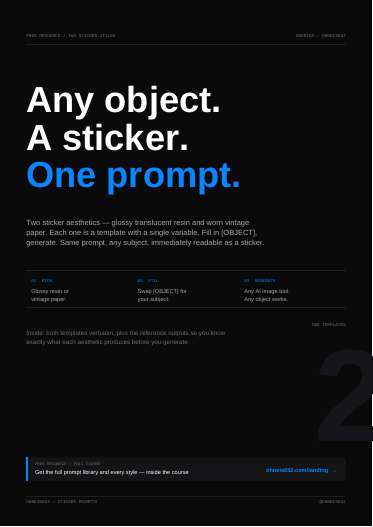
29. Adobe Stickers Prompt (sticker_prompts.pdf)
What it is
Two text-to-image template prompts, 8 pages. Tool: "any AI image tool" (no Adobe tool is named in the text). Single variable [OBJECT].
The actual method
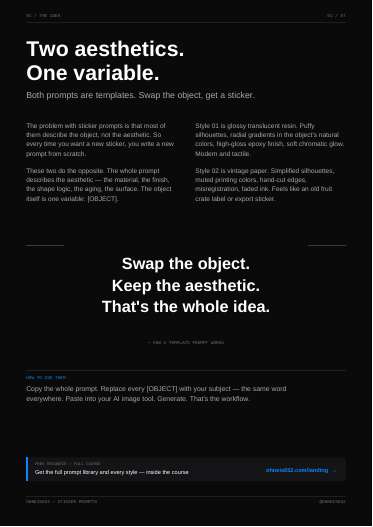
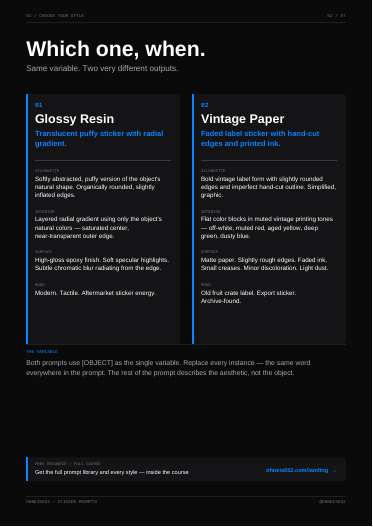
The whole prompt describes the aesthetic; the object is one variable. Replace every [OBJECT] with the same word.
- Style 01 Glossy Resin (820 chars): translucent puffy sticker, silhouette derived from the object's outline, radial gradient in the object's own colours (saturated centre, near-transparent edge), epoxy gloss, chromatic edge glow. Object descriptor pattern: subject, treatment, colour ("cat paw, blurred, pink").
- Style 02 Vintage Paper (1712 chars): fruit-crate label form, flat muted ink blocks, thick outlines, misregistration, invented short label text, matte paper with restrained ageing.
Verbatim (Style 01):
> The interior shows a layered radial gradient using only the natural colors of [OBJECT], with the most saturated and darkest tones concentrated at the center, fading outward through mid-tones to a near-transparent, slightly blurred outer edge.
Verbatim rule:
> Don't rewrite the aesthetic. The gradient rules, the aging rules, the shape logic — they're what make the sticker read as a sticker. Only [OBJECT] changes.
Steal for AdMaker
- Aesthetic-locked template with one variable is a good way to keep a brand series consistent: lock the look block, change only the object or scene line. Useful for our "one prompt block makes one picture" problem if each concept still gets its own object line.
- Subject, treatment, colour descriptor is a compact way to write object lines.
- Direct use is thin: a sticker of the RAW bottle or CHL bottle would stylise the product away from its references. Possible for non-product props (a heart, a dog paw for Dog Academy, a hair strand for Wonder) as accent elements in a fresh generation.
- Rule flag: Style 02 asks the model to invent "fictional label text", which would put unreviewed copy into an ad; strip that line.
Verdict
Worth a test as a template discipline and for prop stickers; not for the product itself.
Open the PDF
30 · Grid Effect
30. Grid Effect (grid_effect.pdf)
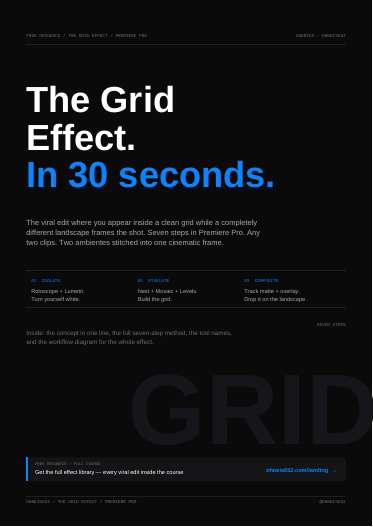
What it is
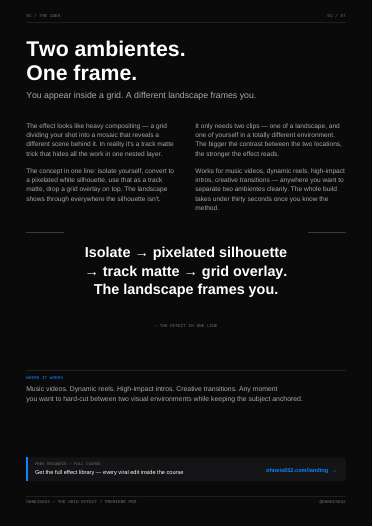
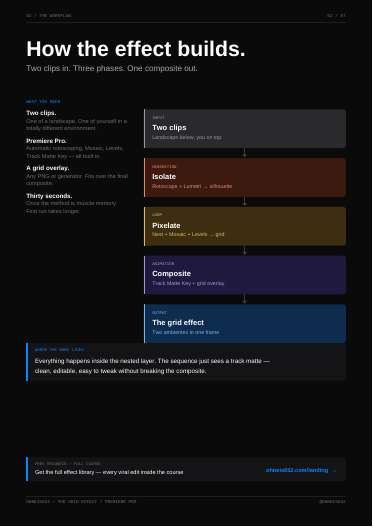
Premiere Pro editing tutorial, 8 pages. Tools named: Premiere Pro (automatic rotoscoping, Lumetri Color curves, Nest, adjustment layer, colour matte, Mosaic, Levels, Track Matte Key), a grid overlay PNG.
The actual method
Seven steps in three phases:
1. Isolate: landscape clip on V1, subject clip on V2; duplicate the subject clip, auto-rotoscope it, send the mask to Opacity, push Lumetri curves until the subject is solid white on black.
2. Pixelate: nest it, add an adjustment layer above and a black colour matte below; Mosaic sets the square count, Levels pushes squares to white.
3. Composite: Track Matte Key on the clip using the nested grid as matte; add a grid overlay aligned to the mosaic.
Verbatim:
> Isolate → pixelated silhouette → track matte → grid overlay. The landscape frames you.
> The bigger the contrast between the two locations, the stronger the effect reads.
Steal for AdMaker
- As an idea, it is a "two worlds in one frame" device: a RAW guy in a plain room with a night-out scene showing through the grid, or a CHL user at a desk with a calm outdoor scene through it. Pain and relief in one frame.
- Our editor is Remotion, not Premiere. A Remotion version would need a per-frame subject matte; tools/mask.sh is documented for stills, so video mattes would be new work.
- Rule flags: none on plates, since this is a video-edit composite of two clips, not a plate edit. It is a hand-motion style effect; the operator dropped hand-made motion effects for statics, so keep it to video.
Verdict
Skip for now. Premiere-only steps and no matte pipeline for video in our stack.
Open the PDF
31 · Style Prompts
31. Style Prompts (style_prompts_free.pdf)
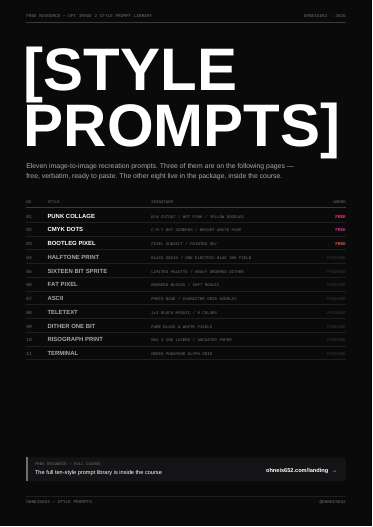
What it is
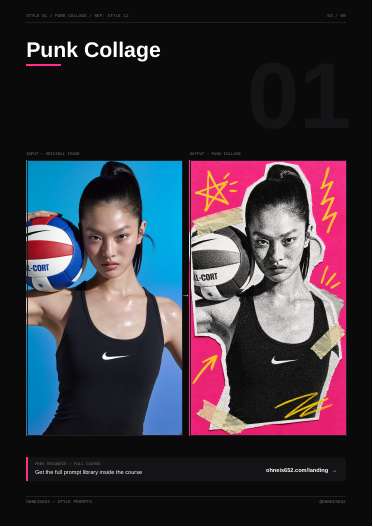
Image-to-image style recreation prompt library for GPT Image 2, 9 pages. 11 styles listed; 3 given verbatim free (Punk Collage, CMYK Dots, Bootleg Pixel); 8 in the paid package (Halftone Print, Sixteen Bit Sprite, Fat Pixel, ASCII, Teletext, Dither One Bit, Risograph Print, Terminal).
The actual method
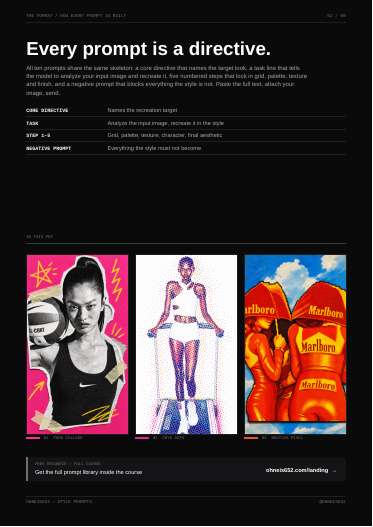
Every prompt uses one skeleton:
- CORE DIRECTIVE: names the target look.
- TASK: "Analyze the input image and recreate it as ..."
- STEP 1 to 5: grid, palette, texture, character, final aesthetic.
- NEGATIVE PROMPT: everything the style must not become.
Each step uses hard numbers, for example CMYK dots "only roughly 40–60 dots across the full image width", Bootleg Pixel "roughly 80–120 pixels on its longest side", "6–10 stepped tones".
Verbatim (Punk Collage, Step 5):
> Punchy three-part color logic: black-and-white photo, hot pink field, yellow doodles
Verbatim (Punk Collage negative, excerpt):
> NEGATIVE PROMPT: full-color photo, clean digital collage, ransom note lettering, dozens of overlapping elements, smooth gradients, soft pastel palette, perfect alignment
Steal for AdMaker
- The skeleton itself (directive, task, five numbered locks, negative list) is the strongest prompt structure in this batch for our one-pass whole-ad route. Example for a RAW plate: STEP 1 scene and pain moment, STEP 2 product from attached references, STEP 3 keep-clear zone for type, STEP 4 light and film grade, STEP 5 final feel; NEGATIVE: text on product, extra bottles, studio sheen.
- Numbers instead of adjectives (counts, percentages, tone steps) is a habit worth enforcing in plate prompts.
- Colour-group cap ("more than three color groups" in the negative) is a quick way to stop busy ads.
- Rule flags: the free prompts are image-to-image recreations of an uploaded image, which is a spa treatment if the input is a plate; use the skeleton for fresh generations only. Styles that pixelate or halftone the subject would break product fidelity. GPT Image 2 is reached only through Codex image_gen for us, never the API.
Verdict
Use now for the prompt skeleton; the styles themselves are a pattern-interrupt test at most.
Open the PDF
32 · Stabilize with AI
32. Stabilize with AI (zero_crop_stabilization.pdf)
What it is
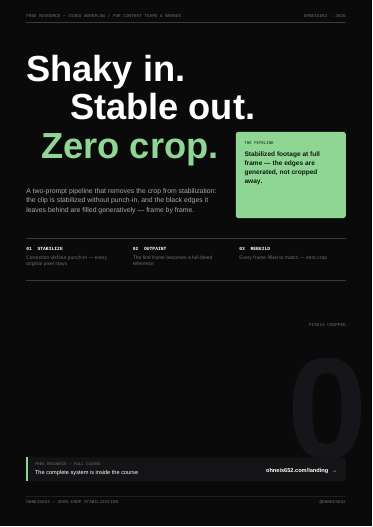
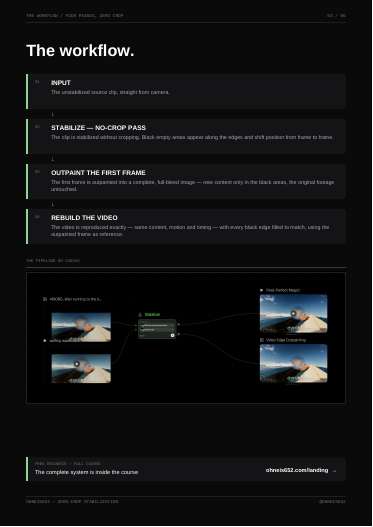
Two-prompt video stabilisation pipeline, 6 pages. No tool or model is named in the text; page 3 shows a node canvas. Prompts are condensed short forms; the full system is behind the course.
The actual method
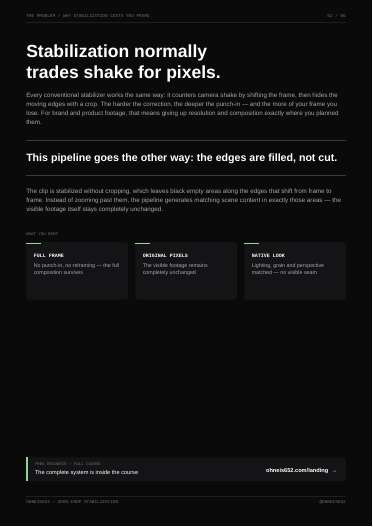
1. Stabilise the clip with no crop, leaving shifting black edges.
2. Prompt A: outpaint the first frame to a full-bleed image, new content only in the black areas.
3. Prompt B: rebuild the video one to one, filling every black edge from the outpainted reference.
Verbatim (Prompt A, excerpt):
> The original footage stays completely unchanged — generate new content only in the black areas, logically continuing the scene. Match lighting, perspective, color grading and grain so the result looks natively captured.
Verbatim (Prompt B, excerpt):
> Do not crop, zoom or reframe. Keep the filled edges stable across all frames and blend them seamlessly with the original footage.
Steal for AdMaker
- Relevant only if we cut real shaky phone footage (for example customer or creator clips for Dog Academy or Wonder). Most of our footage is generated, where a regeneration fixes shake better.
- Rule flags: Prompt A is outpainting. On a still plate that is banned outright. On real video footage it is not a plate, but the file names no tool, so we cannot say which of our routes could run Prompt B.
Verdict
Skip. Outpainting-based, tool unnamed, and solves a problem (shaky real footage) we rarely have.
Open the PDF